
Back in Stock Email Flow: Create Urgency That Converts
A back-in-stock email is a triggered notification sent when a previously out-of-stock product becomes available again. It targets high-intent subscribers who specifically requested updates, converting interest into immediate revenue. These emails deliver exceptional ROI because they reach customers actively waiting to buy, combining automated delivery with built-in urgency and personalised product recommendations that drive conversions far beyond standard promotional campaigns.
Most ecommerce brands treat back-in-stock notifications as basic alerts. They send a plain "it's back" message and wonder why conversions stay flat.
The difference between a mediocre back-in-stock email and one that drives significant revenue lies in how you build urgency, optimise every element, and trigger the right psychological levers. We've audited hundreds of Klaviyo setups, and the patterns are clear: brands that nail their back-in-stock flows consistently outperform those using generic templates.
You'll discover exactly what separates high-performing back-in-stock emails from forgettable ones. We'll break down real examples, dissect the tactics that work, and show you how to implement a flow that makes revenue recovery inevitable.
What Back-in-Stock Emails Deliver (And Why Most Brands Get Them Wrong)
Back-in-stock emails target subscribers who've already expressed purchase intent. They clicked "notify me" on your product page when the item was out of stock.
That single action separates them from your general email list. These people want this specific product.
The commercial value is immediate. You're not introducing a product or building awareness. You're fulfilling an existing desire with a time-sensitive opportunity.
Email marketing in 2026 delivers an average £29-£33 return per £1 spent, with top-performing programmes exceeding £57. Back-in-stock notifications consistently outperform that benchmark because they eliminate the awareness and consideration stages entirely.

Where most brands fail is treating these as standard promotional sends. They use the same design, same copy approach, same lack of urgency as their weekly newsletters.
The result? Open rates might look decent, but conversions disappoint. Subscribers see the email hours or days later, and the product has sold out again.
High-performing back-in-stock emails work differently. They combine automation triggers, scarcity messaging, strong visual hierarchy, and friction-free CTAs into a single conversion-focused touchpoint.
The Psychology Behind Back-in-Stock Email Conversions
Three psychological triggers separate effective back-in-stock emails from basic product alerts: scarcity, FOMO, and completion desire.
Scarcity Creates Immediate Action
When a product was previously unavailable, subscribers remember that frustration. The restock notification automatically carries implied scarcity.
Smart brands amplify this by including stock level indicators. "Only 12 left" or "Limited quantities available" transforms a passive notification into an urgent opportunity.
The key is authenticity. Fake scarcity destroys trust faster than any short-term conversion gain justifies.
FOMO Drives Click-Through Rates
Fear of missing out operates differently in back-in-stock contexts than promotional emails. Subscribers already missed out once when the product sold out initially.
Subject lines that reference this create powerful engagement. "Don't miss it again" or "Back in stock (but selling fast)" work because they acknowledge the previous disappointment.
Your email copy should reinforce this without being manipulative. State facts about demand, restock frequency, or previous sell-out speed.
Completion Desire Closes Sales
Requesting a back-in-stock notification creates an open loop in the customer's mind. They took an action (signing up) that didn't result in a purchase.
The restock email provides closure. It completes the journey they started on your product page.
This is why back-in-stock emails convert even without aggressive discounting. The psychological need to complete the process drives action independently of price.
15 Back-in-Stock Email Examples That Actually Convert
The brands that excel at back-in-stock notifications share common patterns. They prioritise visual clarity, create genuine urgency, and remove every obstacle between the email and checkout.
1. Glossier: Minimalist Design with Maximum Impact
Glossier's back-in-stock emails strip away everything non-essential. A single hero image of the product, clear "Shop Now" CTA, and minimal copy.
The subject line stays direct: "Boy Brow is back." No punctuation, no urgency markers, no emoji. Just information.
This works for established brands with strong product recognition. Subscribers already know what Boy Brow is and why they wanted it.
The CTA placement sits above the fold on mobile and desktop. No scrolling required to take action.
2. Reformation: Social Proof Meets Scarcity
Reformation combines customer reviews with stock indicators. Their back-in-stock emails show star ratings and review counts directly below the product image.
The copy includes specific inventory messaging: "Back in limited quantities." This creates urgency without overselling.
Cross-selling appears further down the email with similar items. This captures interest if the restocked item isn't quite right whilst maintaining focus on the primary product.
3. Allbirds: Storytelling That Drives Action
Allbirds uses back-in-stock emails to reinforce brand values. Their notifications include brief copy about sustainability or comfort technology.
The balance matters. Two sentences maximum before the CTA. Enough to remind subscribers why they wanted the product, not enough to slow conversion.
Product images show the item in use, not just product shots. This increases emotional connection and purchase intent.
4. Everlane: Transparency as Urgency
Everlane's "Choose What You Pay" model extends to their back-in-stock strategy. Emails show pricing breakdown and production costs.
This transparency builds trust whilst creating scarcity. When subscribers understand limited production runs, stock-level warnings feel authentic rather than manipulative.
The subject line references both the product and the value proposition: "The Day Heel – Back at £125."
5. Outdoor Voices: Community-Driven Urgency
Outdoor Voices includes user-generated content in back-in-stock notifications. Real customers wearing the restocked item create social proof.
The email includes a waitlist counter: "2,847 people requested this restock." This transforms individual FOMO into community validation.
Multiple CTAs appear throughout the email, each using active language: "Get Yours," "Shop the Restock," "Don't Wait."
6. Patagonia: Limited-Time Restocks
Patagonia's Worn Wear programme creates unique back-in-stock opportunities. Their emails highlight one-of-a-kind used items.
The scarcity is absolute. "This exact jacket will never be restocked again." This drives immediate action more effectively than vague limited quantity messaging.
Subject lines stay product-focused: "That fleece you wanted is back (just one)."
7. Bombas: Bundle Opportunities
Bombas uses back-in-stock notifications to suggest multi-packs. The email shows the individual item requested, then highlights savings on bundles.
This increases average order value whilst maintaining the back-in-stock focus. The original item stays prominently featured with a clear CTA.
Copy emphasises the one-for-one donation model, adding purpose-driven motivation alongside the product benefits.
8. Warby Parker: Try-Before-You-Buy in Email
Warby Parker's back-in-stock emails for frames include their Home Try-On option. This removes purchase friction for subscribers who might be hesitant.
The email clearly differentiates between "Order Now" and "Try at Home" CTAs. Both appear above the fold.
Product images show multiple angles and on-model shots. This reduces uncertainty that might delay conversion.
9. Away: Colour-Specific Urgency
Away sends separate back-in-stock notifications for different luggage colours. This hyper-personalisation ensures subscribers only hear about the exact variant they wanted.
The subject line specifies the colour: "Sky Blue Bigger Carry-On is back in stock."
Each email includes all available colours at the bottom. If their first choice is too expensive or selling too quickly, alternatives stay visible.
10. Rothy's: Size and Style Segmentation
Rothy's segments back-in-stock emails by both style and size. Subscribers receive notifications only for their specific combination.
This precision prevents disappointment. No one clicks through to find their size still unavailable.
The email includes a sizing guide link for subscribers who might want to try a different size whilst the style is available.
11. Huckberry: Storytelling with Stock Counters
Huckberry emails include product origin stories alongside real-time stock indicators. "47 left" appears next to two paragraphs about the craftsman who makes the item.
This combination works for their audience. Subscribers care about provenance and scarcity equally.
The email structure puts the CTA first, story second. Subscribers who want to buy immediately can, whilst those needing convincing scroll down.
12. Gymshark: Drop Culture Urgency
Gymshark treats restocks like product launches. Their back-in-stock emails use countdown timers and launch language.
Subject lines create event-like urgency: "RESTOCK ALERT: Arrives in 2 hours."
The email arrives before the restock goes live. This gives subscribers time to prepare, building anticipation rather than creating frustration if the product sells out quickly.
13. Brooklinen: Seasonal Restocks with Context
Brooklinen's back-in-stock emails for seasonal items include usage suggestions. "Perfect timing for autumn" or "Just in time for summer guests."
This contextualisation increases relevance. Subscribers remember why they wanted the item initially and see current applicability.
Product bundles appear as related items, increasing average order value without distracting from the main restock notification.
14. Kotn: Ethical Production as Urgency Driver
Kotn explains their small-batch production model in back-in-stock emails. This transparency makes limited quantities feel like values alignment rather than artificial scarcity.
Subject lines stay simple: "White Pocket Tee restocked." The email body provides the context about why restocks happen infrequently.
Each email includes production photos, connecting subscribers to the making process and justifying the urgency messaging.
15. Chubbies: Humour Without Losing Urgency
Chubbies maintains their irreverent brand voice in back-in-stock notifications whilst still driving action. Subject lines might read: "Those shorts you loved? Back from vacation."
The personality doesn't slow conversion. CTAs stay clear and prominent despite the casual tone.
Product descriptions balance entertainment with information. Subscribers get the fabric details and fit information they need alongside the brand's signature humour.
Subject Lines That Get Back-in-Stock Emails Opened
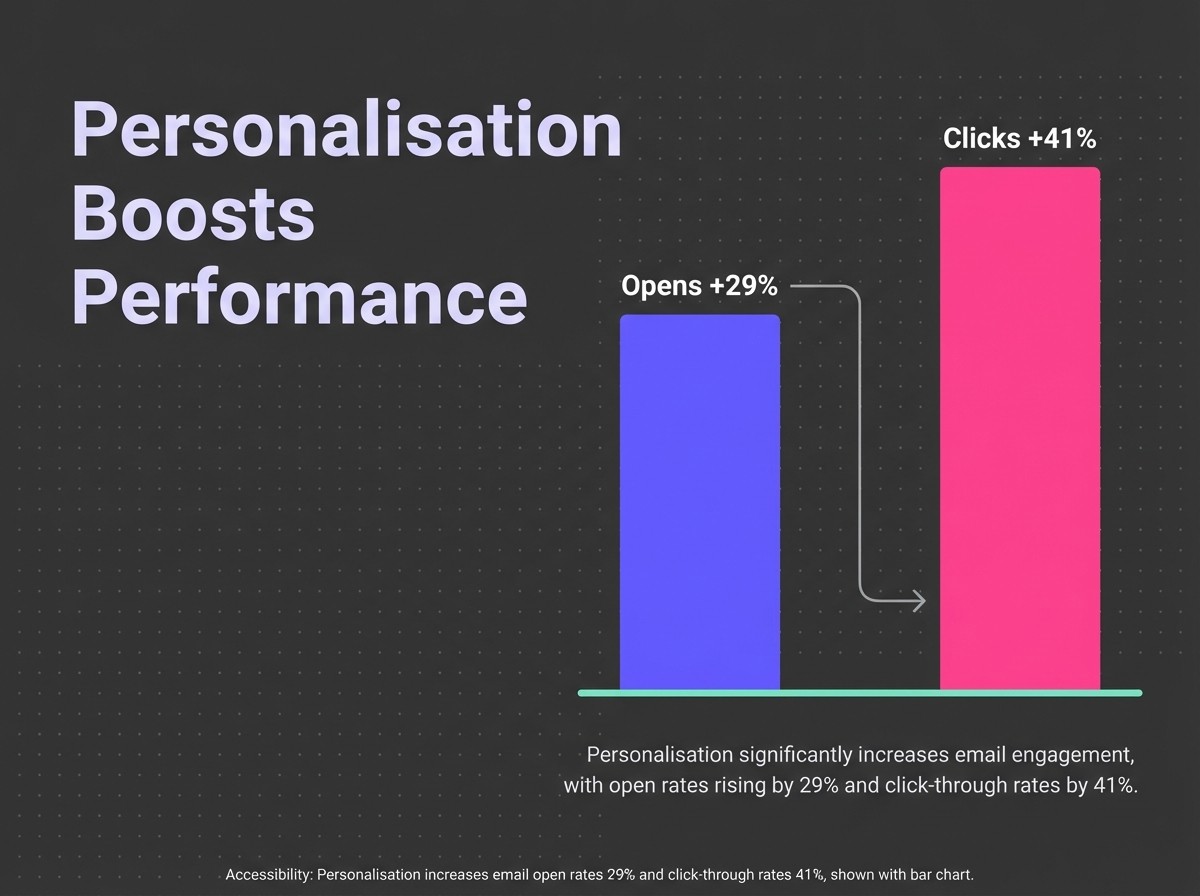
Your subject line determines whether subscribers see your carefully crafted email or ignore it completely. Email personalisation, such as behavioural targeting, increases open rates by 29% and click-through rates by 41%.
Back-in-stock subject lines work best when they're direct, include the specific product name, and create appropriate urgency.
Product-First Subject Lines
The simplest approach often works best. "[Product Name] is back in stock" tells subscribers exactly what they need to know.
Variations include:
- "Your favourite [Product] just restocked"
- "[Product Name] available again"
- "We restocked [Product] for you"
- "[Product]: Back and ready to ship"
These subject lines work because they prioritise information over cleverness. Subscribers signed up for notifications about specific products, and these lines deliver that information immediately.
Urgency-Driven Subject Lines
When you need to emphasise limited availability, urgency markers increase open rates.
Effective examples:
- "[Product] back in stock (limited quantities)"
- "Don't miss it again: [Product] restocked"
- "[Product] back – but selling fast"
- "RESTOCK ALERT: [Product] available now"
- "[Product] won't last long"
The key is authenticity. Only use urgency language when scarcity is real and immediate.
Personalised Subject Lines
Including the subscriber's name or referencing their specific waitlist request increases relevance.
Examples:
- "{{First Name}}, your [Product] is back"
- "The [Product] you requested is available"
- "{{First Name}}, we saved one for you"
Test personalisation against product-focused lines. Some audiences respond better to direct product information than personalised greetings.
Emoji Usage in Back-in-Stock Subject Lines
Emojis can increase visibility in crowded inboxes, but use them strategically.
The 🔔 bell emoji works well for notification-style subject lines. The ⚡ lightning bolt suggests urgency without words.
Avoid emoji overload. One relevant icon beats three random ones every time.
Optimising Your Product Pages for Back-in-Stock Signups
Your back-in-stock email flow starts before the email ever sends. The product page experience determines how many high-intent subscribers you capture.
Notify Me Button Placement
When a product goes out of stock, the "Add to Cart" button should automatically transform into a "Notify Me When Back in Stock" button.
This placement matters. Subscribers expect action buttons in the same location regardless of stock status.
The button should maintain similar visual weight to your add-to-cart button. Making it smaller or less prominent signals that you don't actually want signups.
Form Field Optimisation
Request only essential information. Email address is mandatory. Everything else is optional unless you're segmenting restocks by size, colour, or variant.
For apparel and sized products, include variant selection before the signup form appears. This ensures you notify subscribers only when their specific size restocks.
First name collection helps with email personalisation but adds friction. Test whether the personalisation benefit outweighs the conversion impact of an additional form field.
On-Page Messaging
The copy around your notify-me form should set expectations. Tell subscribers they'll receive one email when the product restocks.
Mention whether restocks are frequent or rare. This helps subscribers understand urgency levels and reduces disappointment if restocks take weeks.
Include social proof if available. "Join 342 people waiting for this restock" validates the signup decision.
Confirmation Experience
After someone submits their email, show clear confirmation messaging. "You're on the list. We'll email you when [Product] is back in stock."
Consider offering related products as immediate alternatives. "While you wait, these similar items are available now."
Some brands send a confirmation email immediately. This sets clear expectations but adds an extra touchpoint that might be unnecessary.
Building Your Back-in-Stock Flow in Klaviyo
Implementation determines whether your back-in-stock strategy delivers results or sits dormant. Here's how to build a flow that converts.
Flow Trigger Setup
Create a flow triggered by the "Subscribed to Back in Stock" event in Klaviyo. This event fires when someone submits the waitlist form on your product page.
Set the trigger to fire immediately. Any delay risks the product selling out before your subscribers receive the notification.

Add a trigger filter to ensure the product is actually back in stock. You don't want to send notifications based on the subscription event alone if inventory hasn't actually been replenished.
Re-entry Criteria That Prevent Email Fatigue
Configure your flow to allow subscribers to re-enter if they sign up for different products. Someone interested in multiple items should receive notifications for each.
However, limit re-entry for the same product. If someone receives a back-in-stock notification and doesn't purchase, sending repeated alerts for the same item becomes spam.
For detailed guidance on re-entry configuration, see our complete guide to Klaviyo re-entry criteria explained.
Single Email vs Multi-Email Flow
Most back-in-stock flows should use a single email. The notification serves one purpose: tell subscribers the product is available.
Multi-email flows work only for high-value items or products with frequent restocks. A luxury item might justify a reminder email 48 hours after the initial notification.
For most ecommerce brands, adding follow-up emails reduces effectiveness. Subscribers who didn't act on the first notification rarely convert to a second reminder.
Integration with Inventory Management
Your flow effectiveness depends on accurate inventory data. Klaviyo pulls stock information from your ecommerce platform, but sync delays can cause problems.
Test your flow thoroughly before launch. Place a test product out of stock, subscribe to notifications, restock the item, and verify the email sends immediately with correct product information.
Monitor for false triggers. Inventory glitches that show items temporarily in stock can send premature notifications that damage trust.
Ready-to-Use Back-in-Stock Email Templates
These templates provide starting points you can adapt to your brand voice and product catalogue. Replace placeholder text with your specific details.
Template 1: Classic Notification
Subject: [Product Name] is back in stock
Preview Text: The [product] you requested is available again. Limited quantities.
Email Body:
Good news! [Product Name] is back in stock.
You signed up to be notified when we restocked this item, and it's available now. [Include specific variant details if applicable: Your size/colour/style is ready to ship.]
[CTA: Shop Now]
Stock levels: [Limited quantities available / XX units left]
[Product image]
[Brief product description or key feature]
[Secondary CTA: Add to Cart]
Questions about this product? [Link to product page or customer service]
Template 2: Urgency-Focused
Subject: Don't miss it again: [Product Name] restocked
Preview Text: Last time this sold out in [X hours/days]. Act fast.
Email Body:
[Product Name] is back, but it won't last.
When this item last restocked, it sold out in [specific timeframe]. We have limited quantities available right now.
[CTA: Get Yours Now]
[Product image]
Why this keeps selling out: [Key product benefit or unique feature]
Current stock: [XX units remaining]
[Secondary CTA: Shop Before It's Gone]
Want to see similar items? [Cross-sell section with 2-3 related products]
Template 3: Value-Added
Subject: Your [Product] is back (plus free shipping today)
Preview Text: We restocked [Product] and we're including free shipping for the next [X hours].
Email Body:
We heard you. [Product Name] is back in stock.
As a thank you for waiting, we're offering free shipping on this item for the next [timeframe].
[CTA: Shop with Free Shipping]
[Product image]
This offer expires: [Specific time/date]
What makes [Product] special: [2-3 bullet points highlighting key features or benefits]
[Secondary CTA: Add to Cart]
[Social proof element: Customer review, rating, or testimonial]
Common Mistakes That Kill Back-in-Stock Email Performance
Delayed Send Times
The most common failure point is delayed notifications. Subscribers receive the email hours after the restock, and inventory has already depleted.
This happens when flows aren't set to trigger immediately or when inventory sync delays occur between your ecommerce platform and Klaviyo.
Fix this by setting your flow trigger to immediate with no delays. Test the end-to-end timing from restock to inbox delivery.
Generic Email Design
Using your standard promotional email template for back-in-stock notifications wastes the high-intent audience. These subscribers don't need brand awareness or lengthy copy.
They need product information, a clear CTA, and urgency messaging. Strip everything else out.
Create a dedicated back-in-stock template that prioritises conversion over brand storytelling. Save the brand-building for flows that target colder audiences.
Missing Mobile Optimisation
Most subscribers open back-in-stock emails on mobile devices. If your product image, CTA, or key information requires scrolling on a mobile screen, you're losing conversions.
Test every back-in-stock email on actual mobile devices before launch. The preview tool in Klaviyo helps but doesn't replace real-world testing.
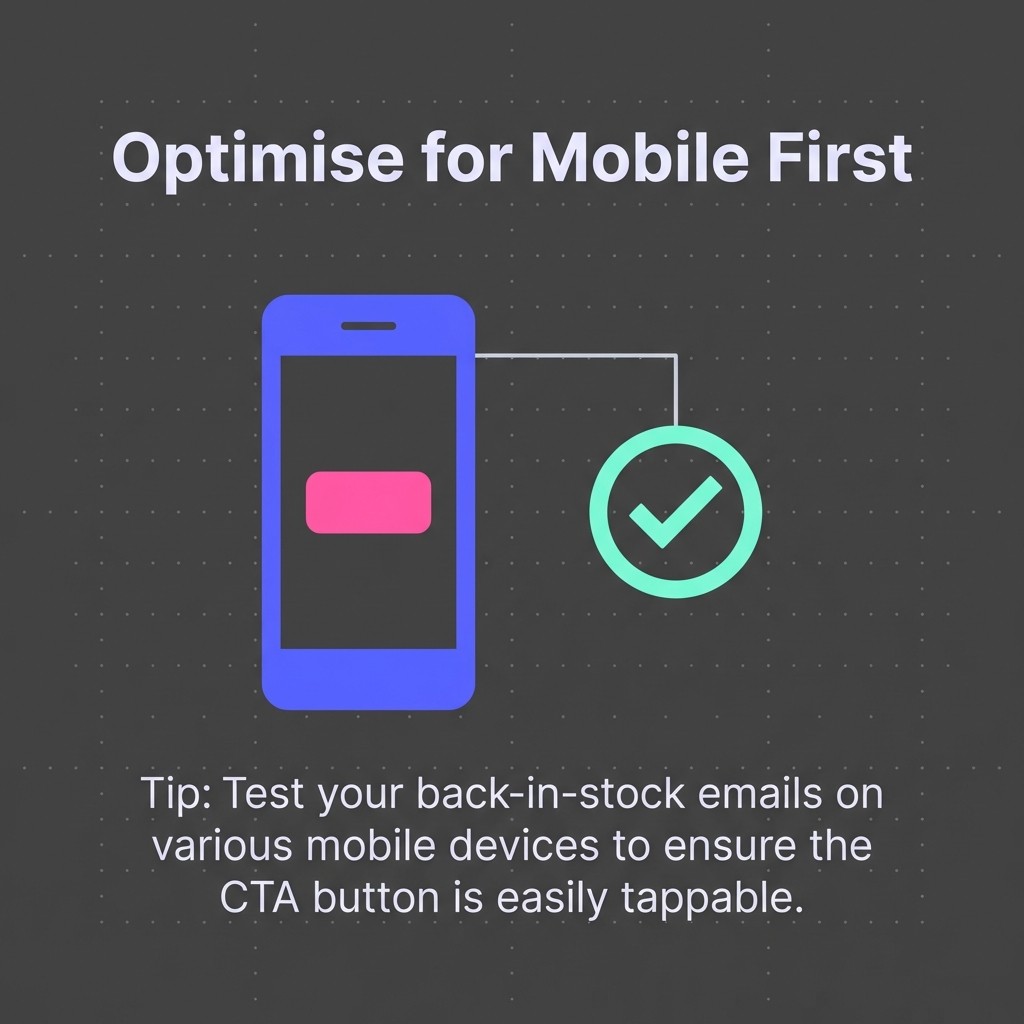
Prioritise single-column layouts, large touch-friendly CTAs, and minimal copy that fits above the fold on standard mobile screens.
Weak Call-to-Action Copy
"Shop Now" works, but it's generic. Your CTA should reinforce urgency and specificity.
"Get Yours Before They're Gone," "Add to Cart Now," or "Shop [Product Name]" perform better because they're more specific and action-oriented.
Test different CTA copy in your flows. Small changes in button text can drive measurable differences in click-through rates.
Ignoring Segmentation Opportunities
Sending the same back-in-stock notification to everyone on the waitlist misses opportunities for increased relevance.
VIP customers might receive early notification before general subscribers. Previous purchasers of the brand could see different messaging than first-time visitors.
Segment your back-in-stock list by customer value, previous purchase behaviour, or engagement level. Send slightly different versions that acknowledge their relationship with your brand.
No Cross-Sell Strategy
If the restocked item doesn't perfectly match what a subscriber wants, or if they're interested but not ready to buy immediately, you need alternatives visible.
Include a "You Might Also Like" section with 2-3 similar products. This captures interest that might otherwise be lost.
Don't overwhelm the email with cross-sells. The restocked product stays primary, with alternatives appearing lower in the email hierarchy.
Failing to Remove Purchasers from Flow
If someone buys the product through another channel before receiving your back-in-stock notification, sending the email anyway creates confusion.
Add a flow filter that checks whether the subscriber has purchased the product. If they have, exit them from the flow before the email sends.
This requires proper event tracking between your ecommerce platform and Klaviyo. Verify that purchase events sync properly.
Make Your Back-in-Stock Flow Inevitable
Back-in-stock emails convert because they target subscribers who've already decided to buy. Your job is removing obstacles, not creating desire.
The brands that excel at this focus ruthlessly on execution. Clear subject lines. Product-focused design. Immediate send times. Authentic urgency. Friction-free checkout paths.
Start with your product pages. Optimise the notify-me experience so you capture quality subscribers who actually want the specific product and variant.
Build your flow to trigger immediately when products restock. Every minute of delay costs conversions as inventory depletes.
Test your urgency messaging. Real scarcity converts better than manufactured scarcity every time. State facts about stock levels and demand without exaggeration.
For comprehensive strategies on moving beyond task optimisation to results-focused retention marketing, explore our guide on optimising results in Klaviyo.
The difference between a back-in-stock flow that generates incremental revenue and one that drives significant results comes down to details. Get the fundamentals right, then optimise relentlessly based on your specific data.
Ready to build a back-in-stock flow that actually converts? Get a free Klaviyo audit and we'll show you exactly what's holding your flows back.
.jpg)
.jpg)