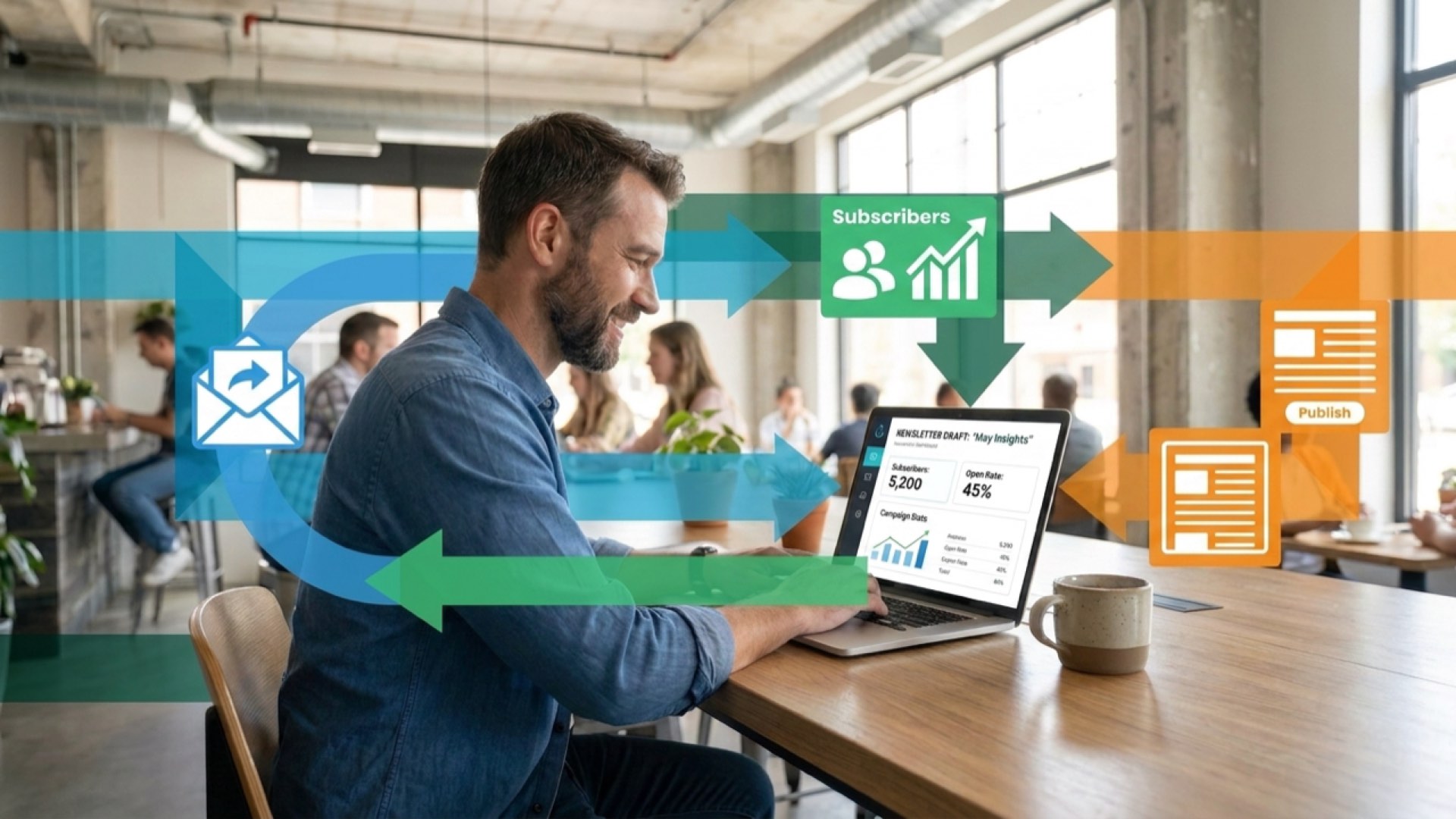
Klaviyo Automation: Complete Setup Guide
Most ecommerce brands waste their Klaviyo account by treating automation as an afterthought. Set up properly, automated email flows generate about 41 percent of total email revenue despite accounting for just 5.3 percent of sends. That's not a marginal gain. That's untapped revenue sitting in your account right now.

The difference between brands recovering 15% of abandoned carts and those recovering 35%? Properly configured Klaviyo automation.
We're going to walk through the exact setup process that turns Klaviyo into a retention machine. You'll learn how to build automated flows across email, SMS, and mobile push. How to use Klaviyo's pre-built templates to launch fast. And how to personalise every touchpoint using customer data you're already collecting.
By the end, you'll have a complete automation framework that works whilst you sleep. No generic playbook. Just the specific configurations that drive measurable results.
What Is Klaviyo Automation?
Klaviyo automation turns customer behaviour into personalised marketing touchpoints. Instead of manually sending emails to every subscriber, you build flows that trigger based on what customers do.
Someone subscribes to your list? Welcome flow starts automatically. They add a product to cart but don't buy? Abandoned cart flow kicks in three hours later. They complete their first purchase? Post-purchase flow begins building loyalty.
This is marketing automation at its core. Pre-built sequences that respond to customer actions in real-time, delivering the right message at the exact moment it matters.
Why Klaviyo's Approach Works
Klaviyo sits on top of your ecommerce platform as a customer data platform. Every purchase, every browse session, every email click feeds into unified customer profiles.
That data powers your automation. You're not sending generic emails. You're triggering personalised messages based on actual customer behaviour, purchase history, and engagement patterns.
Companies using marketing automation experience an average revenue increase of 34 percent. The difference? They've stopped treating customers as a list and started treating them as individuals.

The Three Pillars of Klaviyo Automation
First, flows. These are your automated sequences, pre-built workflows that trigger when specific conditions are met. Think welcome series, abandoned cart recovery, browse abandonment.
Second, segmentation. You filter who receives each automated message based on customer data. VIP customers get different touchpoints than first-time browsers.
Third, personalisation. Dynamic content pulls from customer profiles to show relevant products, offers, and messaging. Every automated email feels hand-crafted for that specific subscriber.
With those three working together, you compress the entire customer lifecycle into automated sequences. That's how retention becomes inevitable.
How Klaviyo Marketing Automation Works
Klaviyo automation operates on a trigger-action model. Customer does something (the trigger), Klaviyo sends something (the action). Simple concept. Powerful execution.
The platform watches for specific customer behaviours across your ecommerce store. Someone subscribes via a popup form? Trigger fires. They abandon their checkout? Different trigger fires. They complete a purchase? Another trigger activates.
Triggers That Drive Your Flows
Triggers fall into three categories. Behavioural triggers respond to actions like adding to cart, browsing specific products, or clicking email links.
Time-based triggers activate after a delay. Three hours post-abandonment. Seven days after purchase. Thirty days since last order.
Attribute triggers fire when customer data changes. Someone's predicted gender updates. Their VIP status changes. Their lifetime value crosses a threshold.
Combine these trigger types and you build sophisticated customer journeys. A browse abandonment flow might trigger when someone views a product (behavioural), wait 24 hours (time-based), but only send if their total orders are less than three (attribute-based).
Flow Logic and Conditional Splits
Once a trigger fires, the flow begins. But not every customer takes the same path through your automation.
Conditional splits create branches based on customer data. Did they open the first email? Yes path sends email two. No path waits another day and tries a different subject line.
Have they purchased before? Yes path focuses on cross-sells. No path emphasises social proof and guarantees.
This branching logic transforms linear email sequences into personalised customer journeys. You're responding to how each subscriber engages, adjusting your automation in real-time based on their behaviour.
Omnichannel Delivery
Klaviyo automation isn't just email. A single flow can trigger messages across email, SMS, and mobile push notifications.
Your abandoned cart flow might send an email after three hours, followed by an SMS after 24 hours if they haven't returned. SMS channels achieve approximately 98 percent open rates, with 90 percent of SMS messages read within three minutes of delivery.
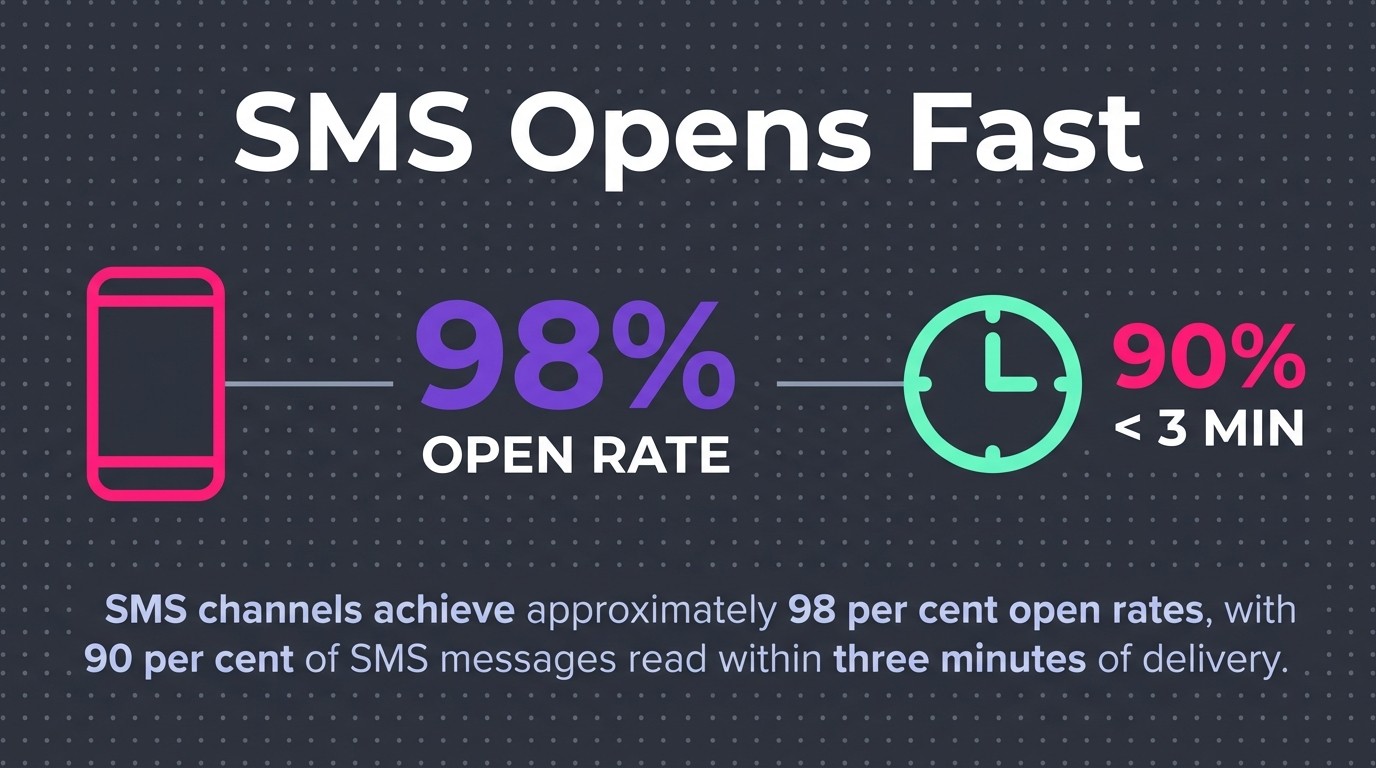
That's why omnichannel matters. Email for detailed content. SMS for urgent reminders. Push notifications for app users. Each channel plays a specific role in your automation strategy.
Key Features of Klaviyo Automation Platform
Now that you know how Klaviyo automation works, let's look at the specific features that make it effective. These aren't just capabilities. They're the tools that separate high-performing automation from mediocre sequences.
Pre-Built Flow Templates
Klaviyo provides over 60 pre-built flow templates covering every stage of the customer lifecycle. You don't start from scratch.
Each template includes recommended triggers, proven email sequences, and pre-configured timing delays. Welcome series. Abandoned cart. Post-purchase. Browse abandonment. Win-back campaigns. Customer thank you flows.
The templates aren't rigid. They're starting points you customise for your brand. Adjust the timing. Swap in your copy. Add conditional splits. But the core structure comes ready to launch.
That's instant impact. You can have a complete welcome series live in thirty minutes instead of spending days building flows from nothing.
Drag-and-Drop Flow Builder
Building automation in Klaviyo requires zero coding. The visual flow builder lets you drag triggers, add emails, insert delays, and create conditional splits using a simple interface.
Want to add a three-day delay before your second email? Drag a time delay component into your flow. Need to split customers based on purchase history? Add a conditional split and set your criteria.
You see your entire customer journey mapped visually. Every branch, every touchpoint, every decision point displayed in one screen. That makes complex automation manageable.
Dynamic Content and Personalisation
Every automated email can pull data directly from customer profiles. Product recommendations based on browse history. Personalised subject lines using first names. Dynamic offers based on lifetime value.
Email product recommendations powered by AI achieve click rates of 3.75 percent on average. That's significantly higher than generic product grids.
Klaviyo's AI analyses purchase patterns and browsing behaviour to predict what each customer wants to see next. Those predictions feed directly into your automated emails, making every message feel personally curated.
Advanced Segmentation
Your automation becomes more powerful when combined with segmentation. You don't just trigger flows based on behaviour. You filter who receives each flow based on dozens of customer attributes.
Send your VIP flow only to customers who've spent over £500. Trigger browse abandonment only for subscribers who haven't purchased in 90 days. Launch your win-back campaign exclusively to customers with exactly two previous orders.
Segmentation turns broad automation into targeted retention. You're not blasting everyone with the same journey. You're creating specific paths for specific customer groups.
Performance Analytics and Optimisation
Every flow includes detailed analytics. Open rates, click rates, conversion rates, revenue per recipient. You see exactly which automated touchpoints drive results and which need adjustment.
Compare email variations within flows. Test different subject lines. Experiment with send timing. Klaviyo tracks performance at the individual email level, showing you where customers drop off and where they convert.
That data feeds continuous optimisation. You're not setting automation and forgetting it. You're refining based on actual subscriber behaviour.
Essential Klaviyo Automation Flows to Set Up
Theory only gets you so far. Let's talk about the specific flows you need to build first. These aren't optional. They're the foundation of effective retention marketing.
Welcome Series Flow
Your welcome series converts new subscribers into customers. It's the first conversation you have with every person who joins your list.
Welcome email series boast an average open rate of 51 percent. People actually want to hear from you immediately after subscribing. Don't waste that attention.

A solid welcome series includes three to five emails over seven to ten days. Email one: deliver the promised discount or content that convinced them to subscribe. Email two: introduce your brand story and bestselling products. Email three: share social proof and customer testimonials. Email four: create urgency with a limited-time offer.
Set your trigger to fire immediately when someone subscribes to your list. Add a conditional split after email one to separate customers who've already purchased from those who haven't. Purchased customers get a thank-you path. Non-purchasers continue through the conversion sequence.
Abandoned Cart Flow
Abandoned cart recovery is non-negotiable for ecommerce. Someone added products to their cart but didn't complete checkout. That's explicit purchase intent.
Your abandoned cart flow should trigger three to four hours after cart abandonment. Why the delay? Gives customers time to return on their own without feeling rushed.
Email one: simple reminder showing exactly what they left behind with product images and a direct checkout link. Email two (24 hours later): add urgency with stock warnings or expiring offers. Email three (48-72 hours later): introduce a small discount if they still haven't converted.
Add SMS to this flow for higher-value carts. If cart value exceeds £100, send an SMS reminder 24 hours after the first email. The immediacy of SMS often pushes hesitant buyers over the line.
For more detailed abandoned cart strategies, see our complete guide to Klaviyo flows for ecommerce.
Post-Purchase Flow
The sale isn't the end. It's the beginning of customer retention. Your post-purchase flow builds loyalty and drives repeat orders.
Email one: order confirmation with tracking information (sent immediately). Email two: delivery notification asking for review or feedback (sent when package arrives). Email three: product education or usage tips (sent three to five days post-delivery). Email four: cross-sell related products based on their purchase (sent 14-21 days later).
This flow transforms one-time buyers into repeat customers. You're staying top of mind, providing value beyond the transaction, and making the next purchase feel natural.
Browse Abandonment Flow
Browse abandonment targets customers who viewed specific products but didn't add anything to cart. They showed interest. They're not ready to buy yet.
Trigger this flow 24 hours after someone views a product without purchasing. Email one: show the exact products they browsed with compelling imagery. Email two (48 hours later): add social proof like reviews or bestseller status. Email three (72 hours later): create urgency with limited stock warnings.
Keep this flow shorter than abandoned cart. Two to three emails maximum. You're nurturing interest, not chasing committed buyers.
Win-Back Flow
Win-back campaigns re-engage customers who haven't purchased in a specific timeframe. Define "lapsed" based on your typical purchase cycle. For consumables, maybe 60 days. For durable goods, maybe 180 days.
Email one: "We miss you" message with a compelling offer to return. Email two: showcase new products or bestsellers they haven't seen. Email three: create urgency with a time-limited discount exclusively for returning customers.
Add a conditional split at the end. If they don't engage after three emails, suppress them from regular campaigns to protect deliverability. If they do engage, move them back to active customer flows.
Omnichannel Automation: Email, SMS, and Beyond
Effective automation doesn't live in one channel. Your customers use email, SMS, mobile apps, and social platforms. Your automation should meet them wherever they pay attention.
Email as Your Foundation
Email remains the backbone of Klaviyo automation. Email produces average returns of £36 for every pound spent, delivering a 3,600 percent ROI.

Email allows detailed content. Product grids, lifestyle imagery, long-form storytelling. You can educate, inspire, and sell all in one message.
Use email for welcome series, educational content, detailed product recommendations, and content-rich campaigns. It's your primary communication channel for building relationships.
SMS for Urgency and Immediacy
SMS cuts through noise. Messages arrive directly on phones, typically read within minutes. That makes SMS perfect for time-sensitive automation.
Use SMS in abandoned cart flows when cart value justifies the cost. Send shipping notifications and delivery updates. Create flash sale alerts for VIP customers. Remind customers about expiring offers or low stock on items they've browsed.
Keep SMS messages short and action-focused. Include a direct link to complete the desired action. No lengthy explanations. Just clear value and immediate next steps.
Mobile Push Notifications
If you have a mobile app, push notifications extend your automation reach. They work like SMS but don't cost per message.
Push notifications excel at real-time engagement. Back-in-stock alerts for products customers have favourited. Price drop notifications. Order status updates. Personalised offers based on app browsing behaviour.
Top-performing abandoned cart push messages deliver conversion rates above 10 percent. That's higher than most email benchmarks.
Learn more about implementing specific flow types in our guide on back-in-stock email flows that convert.
Building True Omnichannel Flows
The real power comes from combining channels within single flows. Start with email. Add SMS for non-responders. Follow up with push notifications for app users.
A sophisticated abandoned cart flow might look like this: Email after three hours. SMS after 24 hours if no open. Push notification after 48 hours if they have your app installed. Each channel plays a specific role based on customer engagement.
This omnichannel approach respects customer preferences whilst maximising recovery opportunities. You're not spamming. You're reaching out through different channels when previous attempts haven't connected.
Using Klaviyo AI and Marketing Agent for Automation
Klaviyo's AI capabilities go beyond simple automation. AI-powered features embedded throughout Klaviyo's tools include over 40 capabilities. These aren't theoretical. They're practical tools you activate within your flows today.
AI-Powered Product Recommendations
Klaviyo analyses your entire product catalogue and customer purchase patterns to predict what each subscriber wants to see next. Those predictions populate dynamic product blocks in your automated emails.
Instead of manually selecting which products appear in your post-purchase flow, AI chooses based on what similar customers bought next. The recommendations update automatically as customer behaviour changes.
This works across all automation. Welcome series shows bestsellers for first-time subscribers. Browse abandonment shows related products to what they viewed. Win-back campaigns highlight new arrivals they haven't seen.
Send Time Optimisation
Klaviyo's AI analyses when each subscriber typically opens emails, then automatically sends your automation at their optimal time. Someone who always opens emails at 7am gets their abandoned cart reminder at 7am. Night owls get theirs at 10pm.
You set the delay (three hours after cart abandonment), but AI picks the specific delivery time within that window. This increases open rates without additional work from you.
Smart Segmentation
AI identifies high-value customer segments you might miss manually. Likely to churn. Predicted next purchase date. Expected lifetime value. Gender prediction based on purchase behaviour.
These AI-generated segments feed directly into your automation triggers. Send win-back flows only to customers AI identifies as likely to churn. Trigger VIP flows when predicted lifetime value crosses your threshold.
Subject Line Optimisation
Test subject lines within your flows and AI learns which styles perform best for different customer segments. Emoji-heavy subjects might work for younger customers. Straightforward benefit-driven subjects might win with professional audiences.
Over time, AI automatically selects subject line variations most likely to generate opens for each individual subscriber. Your automation gets smarter the longer it runs.
Advanced Automation Strategies and Use Cases
Once your core flows are running, you can build more sophisticated automation that drives serious retention results. These strategies require more setup but deliver disproportionate returns.
Replenishment Flows Based on Product Consumption
For consumable products, predict when customers run out and trigger reorder reminders at exactly the right moment. Calculate average days between purchases for each product, then send automated reminders three to five days before customers typically reorder.
A skincare brand might trigger a replenishment flow 25 days after someone buys a 30-day supply of moisturiser. Coffee roasters send reminders based on bag size and estimated daily consumption.
Add dynamic discounts for customers who've reordered consistently. Increase the offer for those who've skipped their last expected purchase date.
VIP Tier Progression Flows
Build automation that celebrates customer milestones and incentivises the next tier. When someone crosses £500 lifetime spend, trigger a VIP welcome flow with exclusive perks. Approaching £1000? Send a progression flow showing how close they are and what unlocks next.
These flows make loyalty programmes feel active rather than passive. Customers see their progress and feel rewarded for continued purchases.
Seasonal Reactivation Campaigns
Create flows that trigger before key seasonal moments based on previous purchase behaviour. If someone bought summer dresses last May, trigger a seasonal reactivation flow in April this year.
This works for any seasonal product. Christmas decorations in November for previous festive shoppers. Garden supplies in March for previous spring buyers. School supplies in August for parents.
You're reaching out at exactly the moment they're considering that purchase category again, often before they've even visited your site.
Behaviour-Based Cross-Sell Flows
Go beyond "customers who bought X also bought Y." Build flows that trigger based on specific product combinations or usage patterns.
Someone bought a camera? Trigger a cross-sell flow seven days later suggesting lenses, memory cards, and camera bags. Purchased running shoes? Follow up with compression socks, running belts, and nutrition products.
Stagger these recommendations over weeks, not all at once. Create a natural progression of related products that enhance their original purchase.
For advanced configuration options, check our explanation of Klaviyo re-entry criteria to control how customers move through complex flows.
Building Your First Klaviyo Flow: Step-by-Step Guide
Theory matters. Execution matters more. Here's exactly how to build your first automated flow in Klaviyo, from trigger to completion.
Step 1: Navigate to Flows
Log into your Klaviyo account. Click "Flows" in the left navigation menu. Click "Create Flow" in the top right.
You'll see two options: "Create From Scratch" or "Use a Template." For your first flow, choose "Use a Template." Select "Welcome Series" from the template library.

Step 2: Configure Your Trigger
The template includes a pre-configured trigger, but you need to adjust it for your specific list. Click on the trigger node at the start of your flow.
Set "Trigger" to "List: Subscribed to List." Choose which list or segment should trigger this flow. If you collect email addresses through a specific signup form, select that list.
Under "Flow Filters," add any exclusions. Common exclusion: "Placed Order zero times in the last 7 days." This prevents welcome emails from going to customers who've already purchased.
Step 3: Customise Your Email Content
Click on the first email node in your flow. Klaviyo opens the email editor with template content already loaded.
Replace placeholder text with your brand copy. Swap template images for your products. Klaviyo provides over 160 professionally designed email templates you can customise without coding.
Add dynamic content blocks. Insert {{ first_name }} to personalise the greeting. Add product recommendation blocks that pull from your catalogue automatically.
Preview your email on desktop and mobile before saving. Click "Preview and Test" to send a sample to your own email address.
Step 4: Set Your Timing Delays
Between each email in your flow, you'll see delay nodes. These control how long Klaviyo waits before sending the next message.
Click on a delay node. Set your preferred waiting period. Welcome series typically uses 2-3 day delays between emails. Adjust based on your audience and product type.
Enable "Use Smart Sending." This prevents subscribers from receiving multiple emails within a specified time window, even if they're in multiple flows.
Step 5: Add Conditional Splits
Make your flow smarter with conditional logic. After your first welcome email, add a conditional split node.
Click "Add Trigger or Action" below your first email. Select "Conditional Split." Set your condition to "Has Placed Order at least 1 time since starting this flow."
The "Yes" path gets a thank-you email and exits the welcome series. The "No" path continues to email two in your conversion sequence.
This prevents new customers from receiving sales-focused emails after they've already purchased. You're responding to their behaviour in real-time.
Step 6: Review Flow Settings
Click "Flow Settings" in the top right corner. Review your flow name (visible only to you), tracking parameters, and suppression settings.
Under "Suppression," confirm that customers who've unsubscribed, marked emails as spam, or are on your global suppression list won't receive messages from this flow.
Set "Smart Sending" to your preferred time window. Most brands use 16-hour windows to prevent email fatigue.
Step 7: Test Before Launching
Never launch a flow without testing. Click "Review and Turn On" at the top of your flow.
Klaviyo shows warnings for any incomplete sections or configuration issues. Fix these before proceeding.
Add yourself to the trigger list manually to enter the flow. Watch emails arrive at the expected intervals. Click links to verify tracking works properly.
Once you've confirmed everything works, remove yourself from the flow to avoid skewing analytics.
Step 8: Activate Your Flow
Click the toggle in the top right to change your flow from "Draft" to "Live." Your automation is now active.
New subscribers who meet your trigger criteria will automatically enter this flow. Klaviyo handles everything from that point forward.
Check your flow analytics weekly for the first month. Look for drop-off points where subscribers aren't opening emails or clicking through. Adjust timing, subject lines, or content based on actual performance data.
If you're starting from scratch with Klaviyo, begin with our Shopify integration walkthrough to connect your store properly before building flows.
Klaviyo Data Platform and Customer Profiles
Your automation quality depends entirely on your data quality. Klaviyo's customer data platform collects, organises, and activates customer information across every touchpoint.
Unified Customer Profiles
Every interaction creates or updates a customer profile. Website visits, email opens, purchase history, SMS responses, app activity. All of it flows into a single unified record.
These profiles power your automation. When someone enters your abandoned cart flow, Klaviyo knows their previous purchases, browse history, engagement rate, and lifetime value. Your automated emails use that data to personalise every message.
You don't manually segment. The data does it for you. High-value customers automatically receive different flows than bargain hunters. Engaged subscribers get different messaging than those who rarely open.
Ecommerce Platform Integrations
Klaviyo integrates directly with major ecommerce platforms. Shopify, Magento, BigCommerce, WooCommerce. The integration syncs product catalogues, order data, and customer information automatically.
That means your automation has access to real-time inventory levels, current pricing, and customer purchase status. Your abandoned cart emails show accurate product availability. Your post-purchase flows reference actual order details.
These integrations eliminate manual data entry and keep your customer profiles current without ongoing maintenance.
Custom Event Tracking
Beyond standard ecommerce events, you can track custom behaviours specific to your business. Video views, quiz completions, wishlist additions, account upgrades. Any customer action can become a trigger for automation.
This extends Klaviyo's power beyond typical ecommerce flows. A SaaS company might trigger onboarding flows when customers complete specific product tours. A publisher might send content recommendations when readers engage with particular article categories.
Custom events transform Klaviyo from an email tool into a complete customer lifecycle platform.
Segmentation and Audience Targeting
Automation without segmentation is just mass messaging on autopilot. Proper targeting ensures the right flows reach the right customers at the right time.
Behavioural Segmentation
Segment customers based on what they do, not just who they are. Active subscribers who've opened emails in the last 30 days. Customers who've browsed but never purchased. VIPs who buy monthly.
These behavioural segments feed your automation triggers. Your win-back flow targets customers who haven't purchased in 90 days. Your VIP flow triggers only for customers with five or more orders.
Create segments once, then reference them across multiple flows. When customer behaviour changes, they automatically move between segments and enter appropriate automation.
Predictive Segmentation
Klaviyo's AI creates predictive segments based on patterns in your customer data. Customers likely to purchase in the next seven days. Subscribers at risk of churning. High expected lifetime value customers.
Use these predictions to time your automation more effectively. Send targeted offers to customers AI identifies as ready to buy. Trigger retention flows for those showing churn signals before they actually lapse.
Dynamic Segments That Update Automatically
Segments in Klaviyo are dynamic. Once you define criteria, the segment updates in real-time as customer behaviour changes.
Your "Active VIP" segment might include customers with £500+ lifetime spend who've purchased in the last 60 days. As customers hit those thresholds, they automatically enter the segment and trigger associated flows.
When they fall below criteria (maybe they haven't purchased in 61 days), they exit that segment and potentially enter your lapsed VIP flow instead.
This dynamic updating means your automation responds to current customer status, not outdated snapshots of who they used to be.
Measuring Automation Performance
Building flows matters. Optimising them based on data matters more. Klaviyo provides detailed analytics for every automated touchpoint.
Flow-Level Metrics
Each flow shows aggregate performance. Total revenue generated, conversion rate, average order value from flow recipients. You see which automation drives the most value for your business.
Compare flows against each other. Is your abandoned cart flow generating more revenue than your welcome series? Should you invest more time optimising the higher performer?
Track flow performance over time. Are conversion rates improving as you test variations? Is revenue per recipient increasing as personalisation improves?
Email-Level Analytics
Drill down to individual emails within flows. Open rates, click rates, conversion rates, revenue per recipient. See exactly which messages in your sequence perform well and which need work.
If email three in your welcome series has a 12% open rate whilst emails one and two average 45%, you've found a problem. Maybe the subject line needs work. Maybe the timing delay is wrong. Maybe the content isn't relevant.
The data shows where customers drop off, guiding your optimisation efforts.
A/B Testing Within Flows
Test specific elements without rebuilding entire flows. Try two subject lines for the same email. Test different product recommendation strategies. Experiment with send time delays.
Klaviyo splits traffic automatically, sends both variations, then reports which performed better. Once you have statistical significance, apply the winner to all future sends.
This continuous testing compounds over time. Small improvements to individual emails multiply across your entire automation framework.
Attribution and Revenue Tracking
Klaviyo attributes revenue back to specific flows and emails. You know exactly how much money each automated sequence generates.
This changes how you think about automation investment. If your abandoned cart flow generates £15,000 monthly, spending two hours optimising it makes obvious sense. If a particular flow generates £200 monthly, maybe it's not worth extensive refinement.
Revenue attribution helps you focus optimisation time where it actually matters for your bottom line.
To understand the complete scope of what's possible with Klaviyo automation, explore our flow creation and optimisation services.
Common Klaviyo Automation Mistakes to Avoid
Most brands make the same automation errors. Knowing them helps you skip straight to what actually works.
Setting Flows Live Without Testing
Never activate a flow without entering it yourself first. Broken links, incorrect personalisation tokens, timing errors. All of these look fine in the flow builder but break in actual sends.
Add yourself to the trigger conditions. Watch emails arrive. Click every link. Verify tracking works. Confirm dynamic content populates correctly.
Only after you've seen the complete customer experience should you turn the flow live for real subscribers.
Using Too Many Flows Too Soon
Start with three to five core flows. Welcome series, abandoned cart, post-purchase. Get those working properly before adding browse abandonment, win-back, and specialty flows.
More flows don't automatically mean better results. Well-optimised core flows outperform a dozen mediocre sequences you're not actively managing.
For strategic guidance on which flows actually matter for your business, read our analysis of Klaviyo flows stores think they need but usually don't.
Ignoring Mobile Experience
Over 60% of emails are opened on mobile devices. If your automated emails aren't mobile-optimised, you're losing revenue.
Use single-column layouts. Large, tappable buttons. Readable font sizes without zooming. Fast-loading images. Every template should look perfect on mobile before you save it.
Preview every email on both desktop and mobile before activating your flow. Klaviyo's preview tool shows exactly how emails render on different devices.
Not Excluding Recent Purchasers
Someone buys from your abandoned cart. Three hours later, they receive your first abandoned cart email because you forgot to add a conditional split.
Always exclude recent purchasers from conversion-focused flows. Add flow filters that check if someone has placed an order since entering the flow. Branch them to a thank-you path instead of continuing through sales messages.
This prevents awkward experiences and keeps your automation feeling intelligent, not robotic.
Overcomplicating Flows Too Early
Conditional splits, trigger splits, time delays, attribute filters. All powerful tools. All easy to overuse when you're starting out.
Begin with linear flows. Trigger, email, delay, email, delay, email, end. Once that's performing well, add complexity based on data showing where customers actually need different paths.
Complexity for its own sake just makes flows harder to manage without improving results.
Getting Professional Help With Klaviyo Automation
You can build solid automation yourself using this guide. But there's a difference between functional flows and optimised sequences that drive serious retention revenue.
That's where dedicated expertise makes a measurable difference.
We've built automation for hundreds of ecommerce brands over the past decade. Not generic templates. Custom flows designed backwards from the specific results each brand needs to hit.
Our lifecycle flow architecture service maps your entire customer journey, identifies revenue gaps, and builds automation that actually fills them.
We start with your goals. Revenue targets, repeat purchase rates, customer lifetime value objectives. Then we work backwards to determine exactly which touchpoints and flows will get you there.
The result? Automation that delivers instant impact whilst building long-term retention. Not tasks. Outcomes.
For brands serious about making retention inevitable, our complete Klaviyo setup service handles everything from platform configuration through advanced flow implementation.
Make Retention Inevitable
Klaviyo automation transforms scattered customer touchpoints into systematic retention. Every subscriber gets the right message at the right time through the right channel. No manual sends required.
Automated emails generate 320 percent more revenue than non-automated emails. That's not because automation is magic. It's because properly configured flows respond to customer behaviour in ways manual campaigns never can.
Start with your core flows. Welcome series to convert new subscribers. Abandoned cart to recover lost sales. Post-purchase to build loyalty. Get those three running well and you've built the foundation.
Layer in browse abandonment, win-back, and specialised flows as your automation sophistication grows. Add SMS and push notifications when you're ready for omnichannel. Implement AI-powered personalisation once you have sufficient data.
But start now. Every day without automation is revenue left on the table. Your customer data is sitting in Klaviyo right now, ready to power personalised sequences that work whilst you sleep.
The brands winning at retention aren't doing anything you can't do. They've just committed to building automation that treats customers as individuals, not list entries.
That's how retention becomes inevitable.
.jpg)
.jpg)