
Email Deliverability for Ecommerce: The Complete Guide
Email deliverability is the measure of whether your emails reach recipients' inboxes rather than being filtered into the spam folder or blocked entirely, and the global average inbox placement rate sits at just 83.5%, meaning roughly 1 in 6 legitimate marketing emails is never seen by the person it was sent to, according to Validity's 2025 Email Deliverability Benchmark Report. For ecommerce brands, that missing 16.5% is not an abstract metric. It is abandoned cart flows that never fire, post-purchase sequences that go unseen, and win-back campaigns that cannot win anyone back.

We work with D2C brands every day who have built strong flows in Klaviyo, only to discover their emails are landing in spam for a significant portion of their list. The flows are fine. The deliverability is not. This guide covers everything you need to fix that, from the technical foundations of email authentication to the practical steps that move your inbox placement rate in the right direction.
What Is Email Deliverability?
Email deliverability is the ability of an email to reach the intended recipient's inbox, as distinct from merely being sent or accepted by a receiving server. It measures inbox placement, not transmission.
Most ecommerce marketers conflate sending an email with delivering one. Your email service provider can confirm an email was sent. That tells you nothing about where it landed. Deliverability is the harder question: did it reach the inbox, or did it end up in the spam folder, the promotions tab, or nowhere at all?
The inbox placement rate is the key metric here. It represents the percentage of sent emails that land in the main inbox rather than being filtered or blocked. A strong inbox placement rate means your flows are actually working. A poor one means your best copy and most carefully timed sends are invisible.
Mailbox providers like Gmail, Outlook, and Yahoo each run their own inbox filtering logic. They assess your sender reputation, your email authentication records, your list quality, and your recipients' engagement behaviour before deciding where your email goes. None of that happens at send time. It all happens at delivery time.
Email Deliverability vs. Email Delivery: Key Differences
Email delivery and email deliverability measure two different things: delivery confirms a receiving server accepted your email, whilst deliverability measures whether that email reached the inbox.
The distinction matters more than most brands realise. A 100% delivery rate with a 60% inbox placement rate means four in ten emails are going to spam. Your ESP reports a success. Your subscribers never see the message.
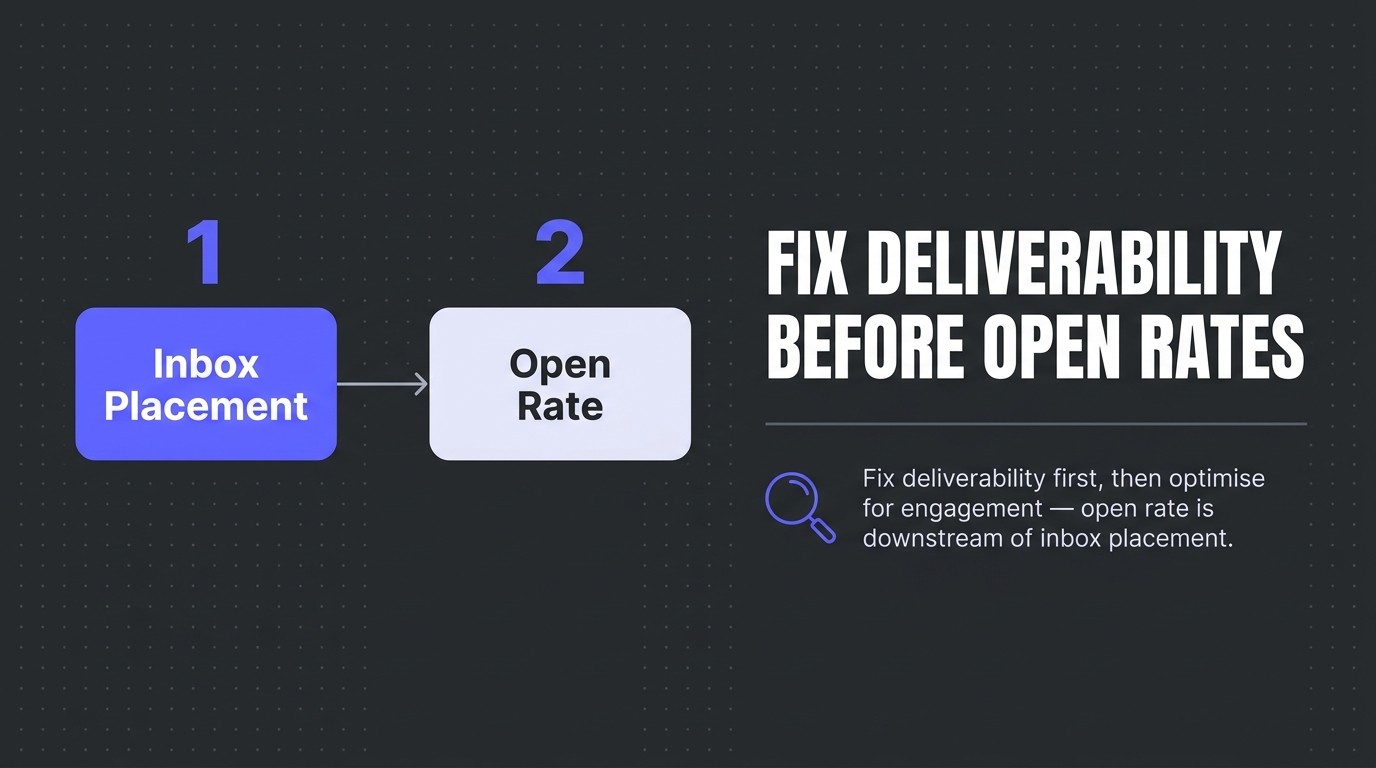
Many ecommerce brands optimise hard for open rates without checking their inbox placement rate first. Open rate is downstream of inbox placement. If your emails are not reaching the inbox, your open rate is suppressed before you have even written a subject line. Fix deliverability first, then optimise for engagement.
Why Email Deliverability Matters for Ecommerce Revenue
Ecommerce email marketing delivers an average ROI of $45 for every $1 spent, according to Stripo's analysis of ecommerce email ROI statistics, and poor email deliverability erodes every penny of that return by preventing emails from reaching subscribers in the first place.
Consider the downstream effect. Automated emails accounted for just 2% of total email sends in 2024 but drove 37% of all email-driven sales, per Omnisend's 2025 Ecommerce Marketing Report. Those flows, abandoned cart sequences, welcome series, post-purchase touchpoints, are the highest-value sends in your entire programme. If they are landing in the spam folder, the revenue loss is disproportionate to the volume.

And the opportunity is significant. Around 70% of all ecommerce shopping carts are abandoned before purchase, according to Klaviyo's ecommerce benchmarks, and abandoned cart email flows generate an average of $3.65 revenue per recipient based on Klaviyo's abandoned cart benchmark data. If your cart recovery emails are not reaching the inbox, that revenue simply does not happen. Email deliverability is not a technical housekeeping task. It is a direct revenue lever.
For a broader view of how deliverability fits within your retention programme, our complete guide to email marketing for ecommerce covers the full picture.
Email Deliverability Benchmarks and Rates
The global average inbox placement rate is 83.5%, which means a typical ecommerce brand sending 100,000 emails can expect around 16,500 of them to be filtered before a subscriber ever sees them, based on Validity's 2025 benchmark research.
That 83.5% figure is an average across all senders. Well-managed programmes with clean lists, proper email authentication, and strong engagement histories consistently outperform it. Poorly managed programmes fall well below it. The gap between a 75% inbox placement rate and a 92% one, on a list of 50,000 active subscribers, is 8,500 emails reaching the inbox on every send. That compounds across every campaign and every flow.
Spam complaint rate is the other critical benchmark. Mailbox providers like Gmail and Yahoo treat a spam complaint rate above 0.1% as a warning signal, and a sustained rate above 0.3% will trigger filtering or blocking at scale. One spam complaint per 1,000 sends is the threshold to stay below. Most ecommerce brands with list hygiene problems sit well above it without knowing.
The spam problem at the global level is acute. Global daily email traffic sits at an estimated 376.4 billion emails, of which approximately 46.8% is spam, according to SQ Magazine's spam statistics analysis. Mailbox providers are filtering an enormous volume of unwanted mail. They are not inclined to give borderline senders the benefit of the doubt.

Key Factors That Affect Email Deliverability
Email deliverability is determined by a combination of sender reputation, email authentication, list quality, and subscriber engagement, with mailbox providers weighing all four simultaneously when deciding inbox versus spam folder placement.
Sender Reputation: IP and Domain
Sender reputation operates at two levels: IP reputation and domain reputation. Your IP reputation reflects the historical sending behaviour of the IP address your emails originate from. Your domain reputation reflects the trustworthiness of your sending domain as assessed by mailbox providers like Gmail, Outlook, and Yahoo.
Brands on shared IP addresses inherit the reputation of every other sender on that IP. A single bad actor on the same shared IP can suppress inbox placement rates for everyone. Dedicated IPs give you full control over your IP reputation, but they require proper IP warm-up to build sending history before you push volume through them.
Domain reputation has become the more important signal. Gmail in particular weights domain reputation heavily. A domain that consistently generates spam complaints or sends to unengaged addresses will see inbox placement decline even on a clean IP.
List Quality and Hygiene
List quality is one of the fastest-moving levers in deliverability. Sending to invalid addresses generates hard bounces, which signal poor list hygiene to mailbox providers. Sending to unengaged subscribers who never open drives down engagement metrics and raises the effective spam complaint rate.
The practical fix is regular suppression of unengaged subscribers. Define a clear engagement window, typically 90 to 180 days depending on your sending frequency, and suppress contacts who have not opened or clicked within that period. Run a re-engagement flow before suppression to capture anyone who is genuinely still interested.
Double opt-in at signup is the cleanest way to protect list quality at source. It reduces invalid addresses and captures only subscribers who actively confirm they want your emails. That is the list quality foundation that makes everything else easier.
Our email segmentation strategies guide covers how to structure your list to maximise engagement and protect your sender reputation at the same time.
Engagement Signals
Mailbox providers use engagement data, opens, clicks, replies, and whether subscribers move emails out of the spam folder, to calibrate filtering decisions. High engagement tells Gmail and Outlook that your subscribers want your emails. Low engagement tells them the opposite.
This is why graymail suppression matters. Graymail is email that subscribers technically opted into but rarely engage with. It is not spam, but it behaves like it. Sending consistently to unengaged addresses erodes your domain reputation over time, even if those addresses are technically valid and subscribed.
Email Authentication: SPF, DKIM, and DMARC Explained
SPF, DKIM, and DMARC are the three email authentication standards that prove to mailbox providers your emails are legitimately sent from your domain, and all three are now mandatory requirements for high-volume senders at both Gmail and Outlook.
Google mandated that all senders of 5,000 or more emails per day to Gmail accounts implement SPF, DKIM, and DMARC, effective 1 February 2024, per Google's official sender requirements documentation. Microsoft followed, enforcing equivalent SPF, DKIM, and DMARC requirements for high-volume senders to Outlook accounts effective 5 May 2025, according to Microsoft's Defender for Office 365 announcement.
These are not optional best practices. They are enforced requirements. Brands without all three in place face filtering or rejection at the two largest mailbox providers.
SPF (Sender Policy Framework)
SPF is a DNS record that lists the mail servers authorised to send email on behalf of your domain. When a receiving server gets an email claiming to be from your domain, it checks your SPF record to confirm the sending server is on the approved list. If it is not, the email fails SPF and is more likely to be filtered.
For ecommerce brands sending through Klaviyo, your SPF record needs to include Klaviyo's sending servers. Klaviyo's official setup documentation covers the exact DNS record syntax required.
DKIM (DomainKeys Identified Mail)
DKIM adds a cryptographic signature to your outgoing emails. The receiving mailbox provider checks that signature against a public key published in your DNS. A valid DKIM signature confirms the email has not been tampered with in transit and genuinely originates from your domain.
Both SPF and DKIM together give mailbox providers two independent ways to verify your identity. Either alone is weaker than both together.
DMARC (Domain-based Message Authentication, Reporting, and Conformance)
DMARC sits on top of SPF and DKIM. It tells mailbox providers what to do when an email fails authentication checks, whether to deliver it, quarantine it, or reject it outright. It also enables reporting so you can see who is sending email on behalf of your domain.
Only 7.6% of internet domains currently enforce DMARC with a p=quarantine or p=reject policy, according to Digital Bloom's 2025 email deliverability benchmark data. That figure is low enough to be alarming. A domain without an enforcing DMARC policy is vulnerable to spoofing, and mailbox providers know it. Gmail's AI-powered spam filters block more than 99.9% of spam and phishing attempts, blocking close to 10 million spam emails every minute according to EmailToolTester's spam statistics research. Domains that look like spoofing targets get caught in that net.

Set your DMARC policy to at minimum p=none with reporting enabled to start, then move to p=quarantine once you have confirmed all legitimate sending sources are passing authentication. The goal is p=reject. That is the standard that protects your domain and signals trust to mailbox providers.
How to Test Your Email Deliverability
Testing email deliverability requires tools that check inbox placement rate, email authentication records, and spam filter verdicts across multiple mailbox providers simultaneously, rather than relying on open rate data from your ESP alone.
Open rate from your ESP tells you what happened after delivery. It tells you nothing about inbox versus spam folder placement. For that, you need dedicated deliverability testing tools.
- MxToolbox checks your SPF, DKIM, and DMARC records for configuration errors and tests whether your sending domain or IP appears on major email blacklists.
- Mail-Tester analyses a test email send and scores it against spam filter rules, highlighting content and authentication issues.
- GlockApps provides inbox placement testing across Gmail, Outlook, Yahoo, and Apple Mail, showing you exactly where your emails land for each mailbox provider.
- Email on Acid combines spam filter testing with rendering previews, useful for catching deliverability issues tied to email structure or content.
Run an inbox placement test before any major campaign launch and after any significant change to your sending infrastructure. Check your DMARC reports weekly during an IP warm-up. And if your open rates drop suddenly without a clear cause, run a deliverability test before assuming it is a content or subject line problem.
Our Klaviyo audit checklist includes deliverability checks as a core component of any account review, covering sender reputation, list health, and authentication records together.
How to Improve Email Deliverability: Best Practices
Improving email deliverability requires a structured approach across four areas: email authentication, list hygiene, engagement management, and sending infrastructure, applied in sequence rather than in isolation.
Authentication First
Start with SPF, DKIM, and DMARC. These are the non-negotiable foundation. Without all three correctly configured, everything else is compromised. Verify your records with MxToolbox and confirm your DMARC policy is at minimum p=none with reporting active. Escalate to p=quarantine once your reports confirm clean authentication across all sending sources.
Warm Up New IPs and Domains
Any new dedicated IP or new sending domain needs a structured warm-up period before you push full volume through it. Mailbox providers have no historical data on a new sender. Start with small daily volumes to your most engaged subscribers, those who reliably open and click, and increase volume gradually over four to eight weeks.
Sending large volumes from a cold IP or domain to a mixed-quality list is one of the most reliable ways to land in the spam folder at scale. Patience in warm-up pays off in sustained inbox placement later.
List Hygiene and Suppression
Suppress hard bounces immediately. Every hard bounce you continue sending to damages your sender reputation with the mailbox providers that recorded it. Set up automatic suppression of hard bounces in Klaviyo the moment they occur.
For soft bounces and unengaged subscribers, define a suppression cadence and stick to it. A 90-day engagement window works for high-frequency senders. A 180-day window makes more sense for brands that email monthly. Either way, send a re-engagement flow before suppressing, then remove anyone who does not respond.
Control Your Spam Complaint Rate
Keep your spam complaint rate below 0.1% at all times. The fastest way to push it above that threshold is sending to subscribers who did not clearly opt in, or who opted in a long time ago and have since disengaged entirely.
Make your unsubscribe link prominent. A subscriber who unsubscribes is far less damaging than one who marks your email as spam. A one-click unsubscribe in your email footer is now a requirement for Gmail and Outlook bulk senders, and it is good practice regardless.
Send Relevant, Engaged-Audience Emails
Engagement is an active signal that mailbox providers track. Sending highly relevant emails to well-segmented lists generates stronger open and click rates, which improves your sender reputation over time. This is the compounding benefit of proper segmentation. Good segmentation is also good deliverability practice.
For a full deliverability audit of your current Klaviyo setup, our deliverability audit and optimisation service identifies exactly where your inbox placement rate is being suppressed and what to fix first.

Frequently Asked Questions
What is a good inbox placement rate for ecommerce?
The global average inbox placement rate is 83.5%. Well-managed ecommerce programmes with clean lists and proper email authentication consistently achieve rates above 90%. Anything below 80% indicates a significant deliverability problem requiring investigation.
Does sender reputation reset if I switch ESPs?
Your domain reputation travels with your domain, not your ESP. Switching from one platform to another does not reset your domain reputation at Gmail, Outlook, or Yahoo. IP reputation, however, is specific to the IP address, so a new dedicated IP requires fresh warm-up regardless of your sending history elsewhere.
How do spam complaints affect deliverability?
Spam complaints are one of the strongest negative signals a mailbox provider can receive about your sending domain. Gmail and Yahoo treat a complaint rate above 0.1% as a warning threshold. Sustained rates above 0.3% result in bulk filtering or outright blocking. Monitor your Google Postmaster Tools data regularly to track complaint rates against Gmail specifically.
Can email content affect deliverability?
Yes, but authentication and sender reputation matter more. Certain content patterns, heavy image-to-text ratios, excessive links, spam trigger words in subject lines, do influence spam filter scoring at the content level. But a sender with strong authentication, a clean list, and a low complaint rate can send promotional content without deliverability issues. Fix the infrastructure first, then optimise the content.
What is the difference between a hard bounce and a soft bounce?
A hard bounce means the email address is permanently invalid or the domain does not exist. The email cannot be delivered and will never be delivered to that address. A soft bounce is a temporary failure, the recipient's mailbox is full, or their server is temporarily unavailable. Suppress hard bounces immediately. Soft bounces become suppressions after a defined number of failed attempts, typically three to five.
Make Your Email Deliverability Inevitable
Email deliverability is not a one-time fix. It is an ongoing practice. Authenticated domains, clean lists, engaged audiences, and monitored sender reputation together produce inbox placement rates that compound over time. Every flow you build in Klaviyo is only as valuable as the inbox placement rate behind it.
The brands we work with who treat deliverability as infrastructure rather than an afterthought consistently outperform those who bolt it on after something breaks. Start with SPF, DKIM, and DMARC. Suppress the unengaged. Monitor your spam complaint rate. Test your inbox placement before major sends.
If you want a clear picture of where your deliverability stands right now and what it is costing you in revenue, start with our email marketing audit roadmap. We will tell you exactly what to fix and in what order. No generic playbook. Just the outcomes your programme needs.
.jpg)
.jpg)