Best Abandoned Cart Flow Strategies That Actually Convert
Most ecommerce stores lose seven out of every ten potential sales at checkout. That's not a strategy issue; it's a systems issue.
The good news? The average shopping cart abandonment rate stands at 70.19%, meaning every store faces this. The better news is that $260 billion worth of lost orders are recoverable through better checkout flow design.

Your abandoned cart flow isn't just a nice-to-have automation. It's the difference between leaving £260,000 on the table or recovering 25-40% of those lost sales.

We've built hundreds of abandoned cart flows for D2C brands. The ones that convert share specific patterns: precise trigger timing, personalised content that speaks to cart value, and strategic incentives placed at exact moments in the decision journey.
This guide walks you through every element of a high-converting abandoned cart flow. You'll see exactly how to structure triggers, configure time delays, craft email sequences, and optimise for SMS. No templates. Just the frameworks that deliver results across the entire customer lifecycle.
What Is an Abandoned Cart Flow?
An abandoned cart flow is a marketing automation sequence triggered when someone starts the checkout process but doesn't complete their purchase.
The flow tracks specific customer behaviour: they've added items to their cart, they've initiated checkout, but they haven't placed an order. This trigger condition activates a series of automated messages designed to bring them back.
Most platforms call this an "abandoned checkout flow" because it focuses on the checkout event specifically. The distinction matters: someone browsing your site isn't in this flow. Someone who added items but never clicked checkout isn't in this flow. Only people who started checkout qualify.
How Abandoned Cart Flows Work
The technical setup involves three core components:
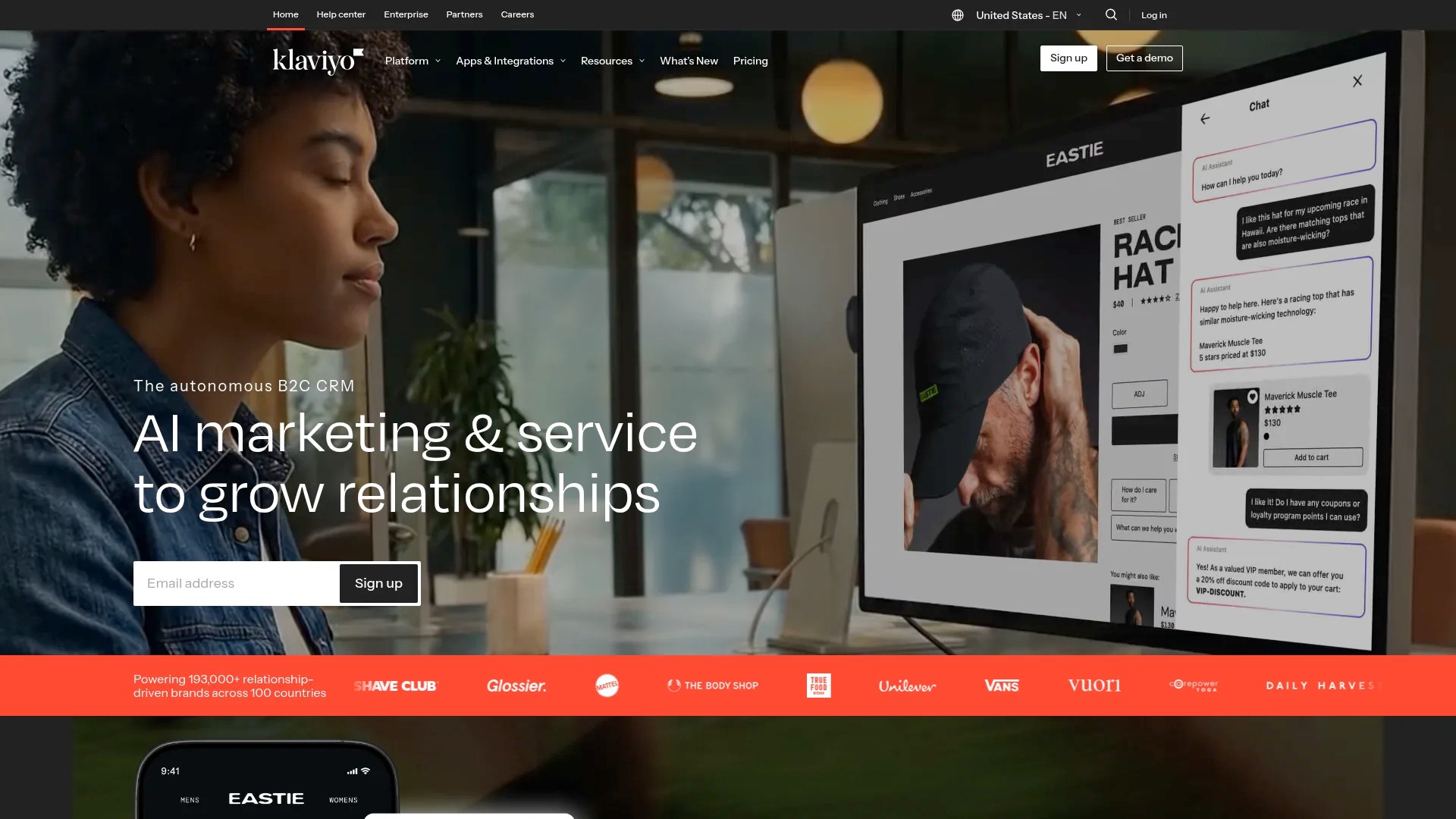
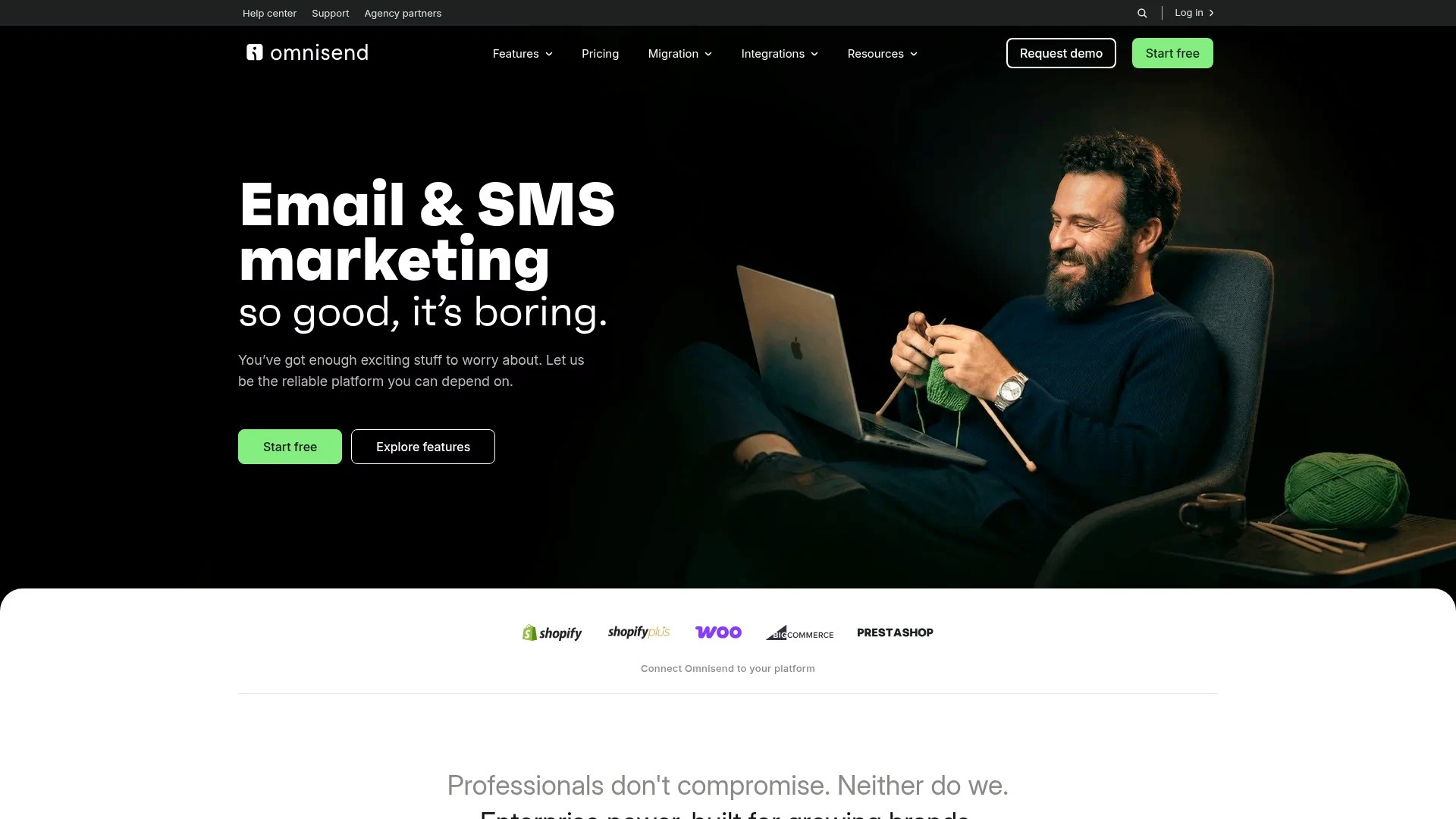
Flow triggers: The automation activates when a customer meets specific criteria. In Klaviyo, this is the "Started Checkout" metric. In Omnisend, it's "Abandoned Cart." The trigger captures the moment someone initiates but doesn't finish the checkout process.
Time delays: Each message in the sequence waits a specific interval before sending. The first email typically sends within 1-4 hours. The second waits 24 hours. The third follows after 48-72 hours. These delays create urgency without overwhelming the customer.
Exit conditions: The flow stops when someone places an order or when they've received all messages in the sequence. These filters ensure customers don't receive irrelevant reminders after they've already purchased.
The Data Behind Cart Abandonment
Understanding why customers abandon helps you build better recovery strategies. Additional charges at checkout are the primary abandonment driver, cited by 48% of customers.
Other top reasons include complicated checkout processes, unexpected costs, and lack of trust signals. 21% of cart abandonments stem from checkout processes that are too long or complicated.
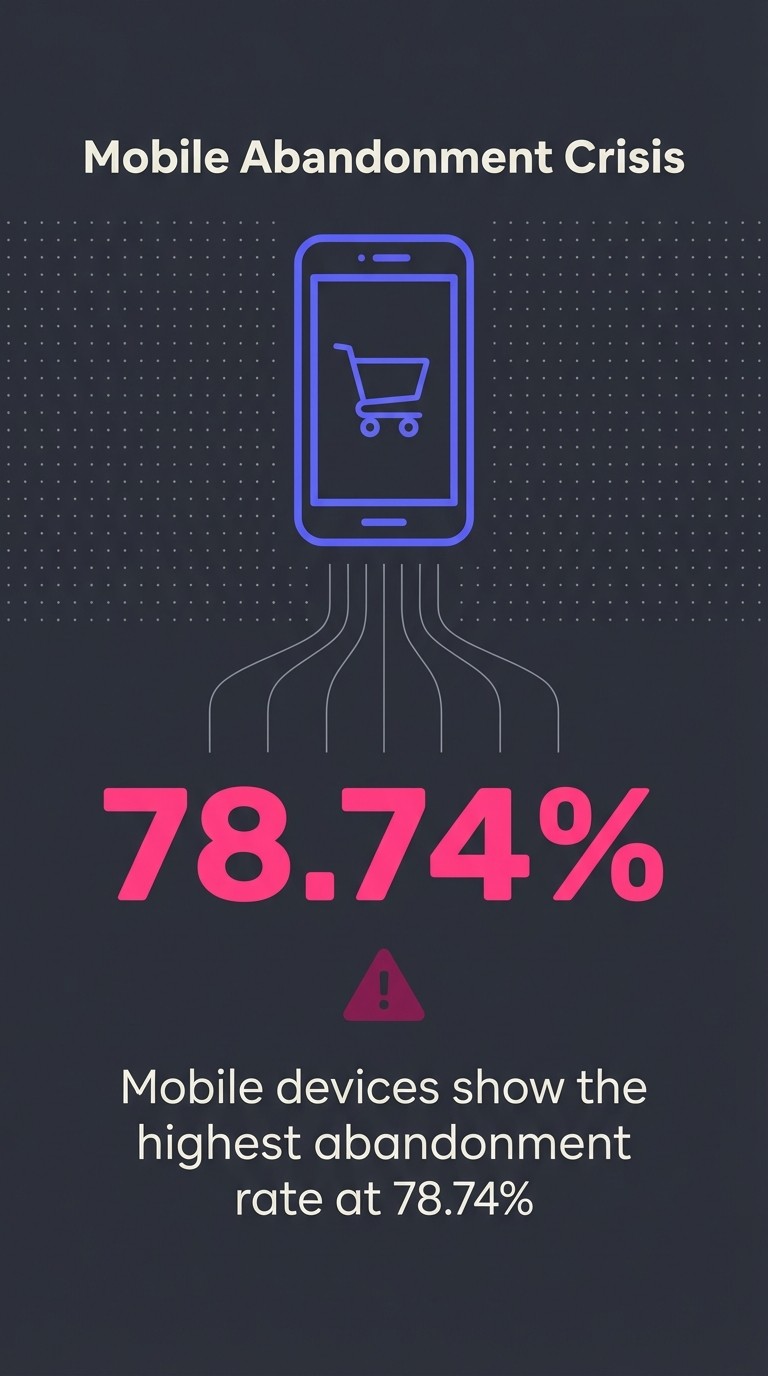
Mobile compounds the problem. Mobile devices show the highest abandonment rate at 78.74%. Your abandoned cart flow needs mobile-optimised design, not just responsive templates.
Why Abandoned Cart Flows Are Essential
Every abandoned cart represents a customer who wanted your product enough to add it to their cart and start checkout. They're already 90% of the way to purchase.
Without an abandoned cart flow, you lose that customer. With one, you create a systematic recovery process that works 24/7 across your entire ecommerce store.
The Performance Data
The numbers make the case stronger than any strategic argument. Abandoned cart emails achieve 44.76% open rates and 10.7% conversion rates.

Compare those metrics to standard email campaigns. Your promotional sends likely get 15-20% opens. Your abandoned cart sequence doubles that performance because it's contextual, timely, and personally relevant.
The conversion rate matters more. A 10.7% conversion rate means one in every ten abandoned cart emails directly recovers a sale. That's instant impact on revenue, not long-term brand building.
MetricAbandoned Cart PerformanceStandard Email CampaignOpen Rate44.76%15-20%Conversion Rate10.7%1-3%
Where Abandoned Cart Flows Fit in the Customer Lifecycle
Your abandoned cart flow sits at a critical moment: the customer has shown purchase intent but hasn't converted. This makes it one of your highest-leverage retention touchpoints.
It's not the first interaction in the customer lifecycle. That's your welcome flow. It's not the last; that's your win-back sequence. But it's arguably the most valuable because it targets customers with immediate buying intent.
The flow works alongside your other marketing automation. Someone might receive your welcome series, browse your products, abandon their cart, receive the abandoned cart sequence, and eventually purchase. Each flow serves a distinct purpose in the customer lifecycle, but the abandoned cart flow captures the highest-intent moment.
Prerequisites: Before You Begin
You can't build an abandoned cart flow without the right infrastructure. The technical requirements aren't complex, but they're non-negotiable.
Ecommerce Platform Integration
Your email service provider needs to connect with your ecommerce platform. Shopify, WooCommerce, BigCommerce, and Magento all offer direct integrations with major marketing automation platforms.
This integration passes critical data: who started checkout, what items they added, the cart value, and whether they completed the purchase. Without this data flow, your abandoned cart flow can't trigger or personalise content.
In Klaviyo, the integration takes 10 minutes. You install the Klaviyo app from your ecommerce platform's app store, authenticate the connection, and enable the "Started Checkout" metric. The platform immediately begins tracking checkout behaviour.
Data Collection Requirements
Your abandoned cart flow needs specific customer data to function:
- Email address (captured during checkout)
- Cart contents (product names, images, prices)
- Cart total value
- Checkout timestamp
- Customer profile data (name, previous purchase history)
Most ecommerce platforms collect this data by default. The integration with your email service provider simply makes it available for flow triggers and personalisation.
Email Deliverability Foundations
Before launching any abandoned cart flow, verify your email deliverability infrastructure. This includes:
Sender authentication: Set up SPF, DKIM, and DMARC records. These technical configurations tell email providers that you're authorised to send emails from your domain. Without them, your abandoned cart emails land in spam folders.
Dedicated sending domain: Use a subdomain like mail.yourbrand.com for marketing emails. This protects your primary domain reputation and gives you better control over deliverability.
List hygiene: Remove invalid email addresses and unengaged subscribers. Your abandoned cart flow should only send to customers who've explicitly provided their email during checkout.
These foundations take 2-3 hours to set up properly. Skip them, and your carefully crafted abandoned cart sequence never reaches the inbox.
Step-by-Step: Creating Your Abandoned Cart Flow
Building an abandoned cart flow follows a specific sequence. Each step builds on the previous one, creating a complete automation that triggers, personalises, and converts.
Creating the Flow in Klaviyo
Klaviyo offers the most robust abandoned cart flow functionality. Here's the exact setup process:
Step 1: Navigate to Flows. In your Klaviyo account, click "Flows" in the left navigation. Then click "Create Flow" in the top right.
Step 2: Choose your starting point. Klaviyo offers pre-built flow templates. Select "Abandoned Cart" from the template library. This loads a basic structure with one email and standard timing.
Step 3: Configure the flow trigger. The template uses "Started Checkout" as the metric trigger. This activates when someone begins checkout but doesn't place an order. Leave this trigger as-is for now.
Step 4: Set up trigger filters. Click the trigger to add conditions. The most important filter: "Placed Order zero times since starting this flow." This exit condition stops the flow when someone completes their purchase.
Step 5: Name your flow. Use a clear, descriptive name like "Abandoned Cart - Primary Sequence." If you run tests or variations later, you'll appreciate the organisation.
Building the Flow in Omnisend
Omnisend combines email and SMS in a single abandoned cart workflow. The setup differs slightly from Klaviyo:
Step 1: Access Automation. Click "Automation" in the main navigation, then "New Workflow." Select "Cart Recovery" from the workflow templates.
Step 2: Choose your channels. Omnisend lets you add both email and SMS to the same flow. For now, start with email only. You'll add SMS after validating email performance.
Step 3: Set the trigger event. Omnisend uses "Abandoned Cart" as the trigger. It activates when someone adds items but doesn't purchase within a specific timeframe (default is 1 hour).
Step 4: Configure exit conditions. Add "Order Placed" as an exit condition. Also add "Cart Updated" to restart the flow if someone changes their cart contents.
Setting Up in Mailchimp
Mailchimp offers basic abandoned cart functionality, though with fewer advanced features than Klaviyo or Omnisend:
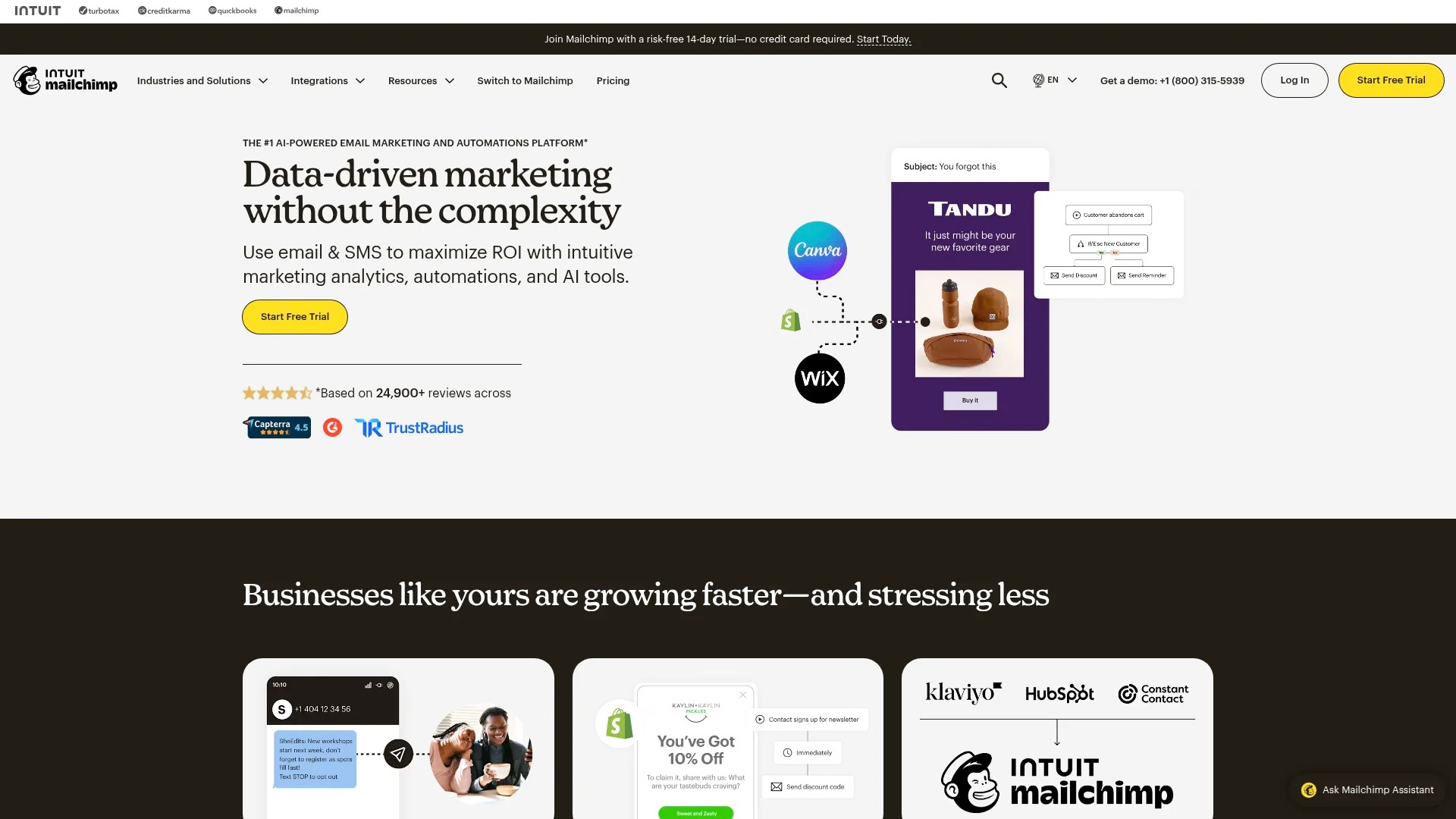
Step 1: Enable ecommerce features. In Settings, turn on "E-commerce Link" and connect your store. Mailchimp needs this connection to track cart abandonment.
Step 2: Create the automation. Go to "Campaigns," then "Email," then "Automated." Select "Abandoned Cart" from the automation options.
Step 3: Set your timing. Mailchimp's abandoned cart automation sends a single email. Choose your delay (1 hour, 24 hours, etc.). For multi-email sequences, you'll need to create separate automations.
Step 4: Design your email. Use Mailchimp's drag-and-drop editor to build your message. The platform automatically includes cart contents through merge tags.
Setting Up Flow Triggers and Filters
Your abandoned cart flow's effectiveness depends entirely on trigger accuracy. Send too early and you interrupt natural checkout. Send too late and the customer has moved on.
Understanding Metric Triggers
The "Started Checkout" metric tracks a specific customer action: clicking through to your checkout page. This creates a timestamp and cart snapshot in your marketing automation platform.
The metric doesn't track every product view or cart addition. It only fires when someone actively initiates the checkout process. This precision prevents your flow from triggering on casual browsers.
In Klaviyo, the Started Checkout metric includes these data points:
- Event timestamp (when they started checkout)
- Cart value (total price of items)
- Item details (product names, SKUs, images, individual prices)
- Customer profile ID (links to their full profile data)
- Checkout URL (unique link back to their specific cart)
This data feeds into your email personalisation and enables dynamic content blocks showing their exact cart items.
Critical Filter Configurations
Filters prevent your abandoned cart flow from sending to the wrong people at the wrong time. These are mandatory, not optional:
Placed Order filter: Set this to "Placed Order zero times since starting this flow." It's your primary exit condition. The moment someone completes checkout, they exit the sequence.
Time window filter: Add "Started Checkout at least 1 hour ago." This prevents the flow from triggering immediately after someone begins checkout. They might just need a few minutes to complete their purchase.
Profile property filters: Exclude anyone who's unsubscribed or marked as suppressed. Even though they started checkout, you legally cannot email them if they've opted out.
Cart value filter: Consider excluding very low-value carts (under £10). The email cost and brand impression might not justify recovery efforts for minimal revenue.
Advanced Trigger Conditions
Once your basic abandoned cart flow performs well, add sophistication through conditional splits:
Cart value segmentation: Create separate paths for high-value carts (over £100) versus standard carts. High-value abandonments might warrant earlier intervention or stronger incentives.
Customer type splits: First-time customers need different messaging than returning customers. Use a conditional split checking "Placed Order at least 1 time in all time" to branch your flow.
Product category triggers: Certain products convert better with specific messaging. Create conditional splits based on "Item Category" to customise your approach for different product types.
These advanced conditions increase complexity. Only add them after validating your basic flow's performance.
Configuring Time Delays Between Emails
Time delays determine when each message in your abandoned cart sequence reaches the customer. Get the timing wrong and you either interrupt their natural checkout or lose them entirely.
The Science of Delay Timing
Your first abandoned cart email should send 1-4 hours after checkout abandonment. This window balances urgency with respect for the customer's decision-making process.
Send too soon (under 1 hour) and you risk annoying customers who just need time to complete checkout. They might be checking shipping details, comparing products, or simply got distracted. An immediate email feels pushy.
Wait too long (over 6 hours) and the purchase intent fades. The customer has moved on mentally. Your email becomes background noise rather than a timely reminder.
The second email should wait 24 hours after the first. This creates separation between messages whilst maintaining consistent presence. If the first email didn't convert, the second offers additional motivation.
The third email sends 48-72 hours after the second. This final touchpoint serves as a last-chance reminder. Beyond three emails, additional messages rarely improve conversion rates and risk annoying the customer.
Implementing Time Delays in Your Platform
In Klaviyo, time delays appear as standalone elements between emails in your flow builder. Click "Add Delay" between flow actions, then specify the wait time.
The interface offers multiple time formats: hours, days, or specific wait-until times. For abandoned cart flows, use hour-based delays for the first email (1-4 hours) and day-based delays for subsequent messages (1 day, 3 days).
Add "Time Delay: 2 hours" after your flow trigger. This creates the buffer before the first email sends. Then add "Time Delay: 1 day" between your first and second emails. Finally, add "Time Delay: 2 days" between your second and third emails.
Omnisend handles delays similarly but combines them with send-time optimisation. You can set a base delay (2 hours) but allow the platform to adjust send time based on when the customer typically opens emails. This increases open rates by 10-15% compared to fixed timing.
Testing Different Delay Patterns
The timing recommendations above work for most ecommerce stores, but your specific audience might respond differently. Test these variations:
Shorter first delay: Try 30 minutes for the first email if you sell time-sensitive products or if your checkout process is very simple. Fashion brands often use shorter delays because purchase decisions happen quickly.
Extended sequence: Add a fourth email at 7 days for high-value products. Consider this for stores with longer purchase consideration periods (furniture, electronics, high-end fashion).
Compressed timing: Run all three emails within 48 hours (2 hours, 24 hours, 48 hours) if your products have natural urgency or limited stock. This works well for drops, limited editions, or flash sales.
Test one timing variation at a time. Split your audience 50/50, run the test for 30 days, then compare total revenue per abandoned cart between the two sequences.
Crafting High-Converting Abandoned Cart Emails
Your abandoned cart email converts based on three elements: subject line clarity, content personalisation, and strategic incentives. Each email in the sequence needs distinct messaging.
Email One: The Gentle Reminder
The first email assumes the customer simply forgot or got distracted. It's not desperate; it's helpful.
Subject line strategy: State the obvious without gimmicks. "You left items in your cart" or "Your cart is waiting" outperform clever alternatives. The customer knows what they did. Your job is to remind them clearly.
Content structure: Lead with a clear, benefit-focused opening line. "Complete your purchase and we'll ship within 24 hours." Then show their cart contents using dynamic product blocks.
Dynamic product content pulls directly from their abandoned cart data. In Klaviyo, use the "Table Row Collection" block with the "event.extra.line_items" variable. This displays product images, names, and prices exactly as they appear in the checkout.
Call to action: One primary button: "Complete Your Order" or "Return to Cart." Link directly to their unique checkout URL, not your homepage. The fewer clicks between email and purchase, the higher your conversion rate.
Design requirements: Mobile-first layout. Single-column design with large, tappable buttons. Product images should be at least 300px wide on mobile. Your CTA button needs 44px minimum height for easy thumb tapping.
Email Two: Added Urgency and Social Proof
The second email shifts tone slightly. The customer needs additional motivation beyond a simple reminder.
Subject line strategy: Introduce mild urgency without false scarcity. "Still thinking it over?" or "Your cart expires in 24 hours" (only if this is actually true). Never lie about stock levels or artificial deadlines.
Content additions: Keep the dynamic product block from email one, but add social proof elements. Include customer reviews for products in their cart, total number of happy customers, or trust badges (secure checkout, money-back guarantee, free returns).
Product recommendations work well here. Add a "You might also like" section with 2-3 related products. Use your platform's recommendation engine based on browsing behaviour or purchase patterns.
Incentive consideration: If your business model supports it, introduce a small incentive. "Take 10% off when you complete checkout in the next 24 hours." Only do this if you can maintain margin. Conditioning customers to wait for discounts damages long-term profitability.
Email Three: Final Incentive and Last Chance
The third email is your final touchpoint. It should feel conclusive, not naggy.
Subject line strategy: Clear finality. "Last chance for your cart" or "Your items won't wait forever." If you're offering a discount, put it in the subject line: "15% off your cart (today only)."
Content strategy: Repeat the dynamic product block but add your strongest incentive. This might be free shipping, a discount code, or a bundled offer. The incentive should be valuable enough to overcome whatever objection prevented purchase.
Urgency mechanisms: Create real urgency through genuine scarcity. "Only 2 left in stock" (if true), "Sale ends tonight at midnight," or "Your saved cart will be deleted in 24 hours" (if this is your actual policy).
Exit strategy: Include a subtle unsubscribe option for abandoned cart emails specifically. "Don't want cart reminders? Click here to opt out (you'll still receive order updates)." This protects your sender reputation by reducing spam complaints.
Personalisation Beyond Product Display
Advanced personalisation increases conversion rates by making each email feel individually crafted:
Customer name usage: Use their first name in the subject line and greeting, but not excessively. "Hi Sarah, your cart is waiting" feels personal. "Sarah, Sarah, don't forget Sarah" feels creepy.
Cart value acknowledgment: Adjust messaging based on cart value. For high-value carts, mention concierge customer service or expedited shipping. For lower-value carts, focus on ease and speed of checkout.
Previous purchase history: If they're a returning customer, reference their history. "Welcome back! Your last order arrived safely?" This builds continuity and reinforces positive experiences.
Browsing behaviour: If your platform tracks it, reference other products they viewed. "Still considering the blue version? It's also in stock." This shows attention and helpfulness.
Technical Implementation of Dynamic Content
Dynamic product blocks pull real-time data from the abandoned cart event. Here's how to implement them in major platforms:
In Klaviyo, drag a "Table" block into your email template. Set the data source to "event.extra.line_items." This iterates through each product in the cart. Add image placeholders using "item.product.images.0.src" for product photos, "item.product.title" for names, and "item.line_price" for prices.
In Omnisend, use the "Product Picker" block and select "Abandoned Cart Products" as the source. The platform automatically populates product data without manual variable configuration.
In Mailchimp, abandoned cart product blocks use merge tags: *|PRODUCT:IMAGE|*, *|PRODUCT:NAME|*, and *|PRODUCT:PRICE|*. Mailchimp's system is less flexible than Klaviyo but requires less technical knowledge to implement.
Adding SMS to Your Abandoned Cart Flow
SMS amplifies your abandoned cart recovery by reaching customers on their most-used device with near-instant delivery. SMS marketing for abandoned carts achieves open rates exceeding 95%.

When to Add SMS to Your Flow
Don't launch with SMS. Validate your email sequence first, then add SMS as an enhancement.
SMS works best as a complement to email, not a replacement. The ideal pattern: send an email at 1 hour, add an SMS at 4 hours (if they didn't open the email), then continue with your email sequence.
This timing ensures you're not bombarding customers across multiple channels simultaneously. The SMS serves as a backup touchpoint for people who don't check email regularly.
SMS Compliance Requirements
SMS marketing carries stricter legal requirements than email. Before sending any abandoned cart SMS messages:
Explicit opt-in: Customers must actively consent to SMS marketing. A checkbox at checkout isn't sufficient in most jurisdictions. You need a dedicated SMS opt-in process with clear language about message frequency and content.
Identification: Every SMS must identify your brand. Start messages with your company name: "From [YourBrand]: You left items in your cart."
Opt-out mechanism: Include "Reply STOP to opt out" in every abandoned cart SMS. Process opt-outs immediately (within seconds, not hours).
Timing restrictions: Never send SMS outside 9am-9pm in the recipient's timezone. This rule is legal in many regions and best practice everywhere.
Crafting Effective Abandoned Cart SMS Messages
SMS copy requires extreme brevity. You have 160 characters to convey value and prompt action.
Template structure: Brand name + reminder + value + link. "From [Brand]: You left £47 in your cart. Complete checkout now: [link]"
Incentive placement: If offering a discount, lead with it. "From [Brand]: Get 10% off your cart. Use code CART10: [link]"
Urgency messaging: SMS enables real-time urgency. "From [Brand]: Only 1 left in stock. Complete your order: [link]"
Link shortening: Use your platform's built-in link shortener. Long URLs consume character count and look unprofessional. Klaviyo and Omnisend automatically shorten SMS links.
SMS Sequencing Strategy
Your SMS sequence should be shorter than your email sequence. Two SMS messages maximum, versus three emails.
SMS 1: Send 4-6 hours after cart abandonment, but only if they didn't open your first email. This conditional send prevents channel overload. The message should be a simple reminder without incentive.
SMS 2: Send 48 hours after abandonment if they haven't purchased. This final SMS includes your strongest incentive (same as email three). It's the last touchpoint across all channels.
Building SMS Flows in Your Platform
In Klaviyo, SMS integrates directly into your existing abandoned cart flow. After your first email delay, add a "Conditional Split" checking "Has Opened Email at least once in the last 4 hours." Send the SMS only to the "No" branch.
Configure the SMS message by clicking "Add SMS" after the conditional split. Write your message, insert the checkout URL variable, and set send-time restrictions (9am-9pm).
In Omnisend, SMS and email coexist in the same workflow builder. Drag an SMS element into your flow, position it 4 hours after the first email, and add conditions to prevent sending if the email was opened.
SMS Cost Considerations
SMS messages cost more per send than emails. Klaviyo charges approximately £0.012 per SMS in the UK. Omnisend has similar pricing. A 10,000-person abandoned cart SMS campaign costs £120, versus virtually nothing for email.
This cost structure means SMS should be strategic, not universal. Consider these filters:
- Only send SMS for carts over £50 (ROI justifies the cost)
- Limit SMS to customers who've purchased before (higher conversion likelihood)
- Use SMS for high-margin products where the customer lifetime value supports the channel cost
Track your SMS-attributed revenue separately. Calculate cost per conversion and compare it to email. SMS should deliver at least 3x ROI to justify the channel investment.
Optimising Your Abandoned Cart Flow for Maximum Recovery
Your initial abandoned cart flow provides baseline performance. Optimisation turns good performance into excellent results.
Testing Subject Lines Systematically
Subject line testing delivers the highest ROI of any abandoned cart optimisation. A 5% open rate improvement directly increases conversions by 5%.
Test these subject line variations one at a time:
Direct versus question-based: "You left items in your cart" versus "Forget something?" Run each for 1,000 sends, compare open rates, keep the winner.
Urgency versus benefit: "Your cart expires soon" versus "Your items are ready to ship." Test for 7 days, measure both opens and click-through rates.
Personalisation versus generic: "[Name], your cart is waiting" versus "Your cart is waiting." Personalisation usually wins but test with your specific audience.
Length variations: Short (under 30 characters) versus medium (30-50 characters). Mobile truncates after 30-40 characters depending on device, so shorter often performs better.
Incentive Strategy Optimisation
Incentives increase conversion rates but decrease profit margins. The goal is finding the minimum effective incentive.
Start without incentives in emails one and two. Track your baseline conversion rate. Then test adding a discount to email three only. Measure the revenue lift versus the discount cost.
If email three discount improves profitability, test moving it to email two. Run this for 30 days. Compare total profit per abandoned cart (revenue minus discount cost) between the two sequences.
Test different incentive types:
Percentage discounts: 10% off, 15% off, 20% off. Test each increment. The goal is finding the smallest discount that meaningfully improves conversion.
Fixed-amount discounts: £5 off, £10 off. These work better for lower-value carts where percentages feel small.
Free shipping: Free shipping is the most effective incentive, addressing one of the primary drivers of abandonment. Test this before monetary discounts.
Gift with purchase: "Complete checkout and get a free sample" or similar. This maintains margin better than discounts.
Time Delay Optimisation
Default timing works for most stores, but your specific customer base might respond differently. Test these variations after your flow has been running for 60 days:
Earlier first email: Change your 2-hour delay to 1 hour. Run for 30 days. Compare conversion rates and unsubscribe rates (earlier timing can annoy some customers).
Extended sequence: Add a fourth email at 7 days. Measure incremental revenue from this additional touchpoint versus potential brand fatigue.
Compressed timing: Run all three emails within 48 hours instead of 96. This increases urgency but gives customers less decision time. Test with a 50% audience split.
Content Block Testing
The elements within your emails affect conversion as much as timing and incentives:
Product image size: Test large hero images (800px wide) versus smaller product grids (400px). Large images increase click-through but can slow load times on mobile.
CTA button copy: "Complete Your Order" versus "Return to Cart" versus "Finish Checkout." Test each for 1,000 sends, measure click-through rate.
Social proof placement: Test customer reviews above the CTA versus below. Above usually works better but test with your design.
Product recommendations: Test including recommended products versus showing only abandoned cart items. Recommendations can increase average order value but might also distract from cart completion.
Advanced Personalisation Testing
Once your basic flow performs well, test advanced personalisation:
Cart value segmentation: Create separate email sequences for high-value carts (over £100) versus standard carts. High-value might warrant white-glove customer service messaging and faster follow-up.
Customer segment splits: Test different messaging for first-time customers versus returning customers. First-timers need more trust building; returners need less convincing.
Product category customisation: Create category-specific emails that highlight product-specific benefits. Fashion items need style inspiration; electronics need technical specifications.
Tracking and Measuring Success
Your abandoned cart flow needs specific metrics tracked consistently:
Revenue per recipient: Total flow revenue divided by total people who entered the flow. This single metric captures overall flow effectiveness.
Conversion rate by email: Track which emails in your sequence drive purchases. If email three has very low conversion, consider removing it or changing the timing.
Open rate by position: Email one should have 40-50% opens. Email two typically drops to 25-35%. Email three around 15-25%. If any email significantly underperforms, test new subject lines.
Time to conversion: Track how long after receiving an email customers take to purchase. If most conversions happen within 1 hour of email receipt, your timing is working. If they take 12+ hours, consider adjusting your sequence delays.
Attribution analysis: Understand which touchpoints drive conversions. Does email one recover most sales or does email three with the discount perform better? This determines where to focus optimisation efforts.
Advanced Abandoned Cart Flow Strategies
Once your core abandoned cart flow delivers consistent results, these advanced strategies extract additional performance.
Browse Abandonment Integration
Not everyone abandons at checkout. Many customers browse products but never add items to cart. Browse abandonment flows capture this earlier-stage behaviour.
Create a separate flow triggered by "Viewed Product" but not "Started Checkout." This sequence should be gentler than abandoned cart, focusing on product education rather than urgency. Learn more about browse abandonment vs cart abandonment strategies.
The two flows work together. Someone might enter the browse abandonment flow first, then later enter the abandoned cart flow when they finally start checkout. Exit conditions prevent overlap: if they start checkout, they exit the browse abandonment flow.
Predictive Abandonment Intervention
Use exit-intent technology to capture customers before they abandon. When their mouse moves toward the browser close button, trigger a popup offering assistance or incentive. Exit-intent popup discounts can recover 20-30% of abandonments.
This strategy intercepts abandonment before it happens, making your email sequence more effective by reducing the total number of people who abandon in the first place.
Post-Purchase Integration
Your abandoned cart flow should connect to your post-purchase sequence. When someone completes checkout from an abandoned cart email, immediately enrol them in your post-purchase flow.
This creates a continuous customer experience across the entire lifecycle. They abandon cart, receive recovery emails, purchase, then immediately receive order confirmation and shipping updates without gaps or delays.
In Klaviyo, use flow filters to check if someone came from the abandoned cart flow. Add a conditional split in your post-purchase flow: "Placed Order from Flow" equals "Abandoned Cart Flow." Send slightly different messaging acknowledging they came back to complete their order.
Seasonal and Campaign Adjustments
Your abandoned cart flow needs modification during high-volume periods:
Black Friday/Cyber Monday: Compress timing to 30 minutes, 4 hours, 24 hours. Shopping behaviour accelerates during sales events. Also remove discounts since products are already on sale.
New product launches: Adjust messaging to highlight the new arrival aspect. "The new collection is already in your cart" creates additional urgency through newness and potential stock limitations.
Seasonal shifts: Update email creative to match current season. Using summer imagery in December feels disconnected and reduces conversion.
Multi-Currency and International Considerations
If you sell internationally, your abandoned cart flow needs currency and language adjustments:
Dynamic currency display: Show cart totals in the customer's local currency. Use your platform's localisation features to pull currency from their profile or checkout data.
Language variants: Create translated versions of your abandoned cart sequence for major markets. Don't rely on automated translation; hire native speakers to write proper copy.
Timezone-appropriate sending: Schedule emails based on the recipient's timezone, not yours. A 2am email because you're in a different timezone kills your open rate.
Building a Complete Lifecycle Flow Architecture
Your abandoned cart flow should integrate with all other lifecycle touchpoints. Explore our lifecycle flow architecture services to see how abandoned cart fits into a complete retention system.
The complete architecture includes welcome flows, post-purchase sequences, win-back campaigns, and VIP programmes, all working together to maximise customer lifetime value. Your abandoned cart flow is one critical piece in this larger system.
Most ecommerce stores leave money on the table because they treat abandoned cart flows as set-and-forget automations. The stores that consistently recover 35-40% of abandonments obsess over the details: trigger precision, timing optimisation, content testing, and continuous refinement.
Your abandoned cart flow isn't just revenue recovery. It's a signal of how well you understand your customers' decision-making process. Every element in the sequence should remove friction, build confidence, and make completing checkout feel inevitable.
Start with the foundations: proper trigger configuration, clear time delays, mobile-optimised email content. Test systematically: subject lines first, then incentives, then timing variations. Track revenue per recipient as your north-star metric.
Make retention inevitable. Build your abandoned cart flow properly and you'll recover thousands in otherwise-lost revenue every month.
Looking for expert help building high-converting flows? Explore our flow creation and optimisation services or learn more comprehensive strategies in our complete guide to Klaviyo flows.
.jpg)
.jpg)