Klaviyo Email Templates: Design & Best Practices
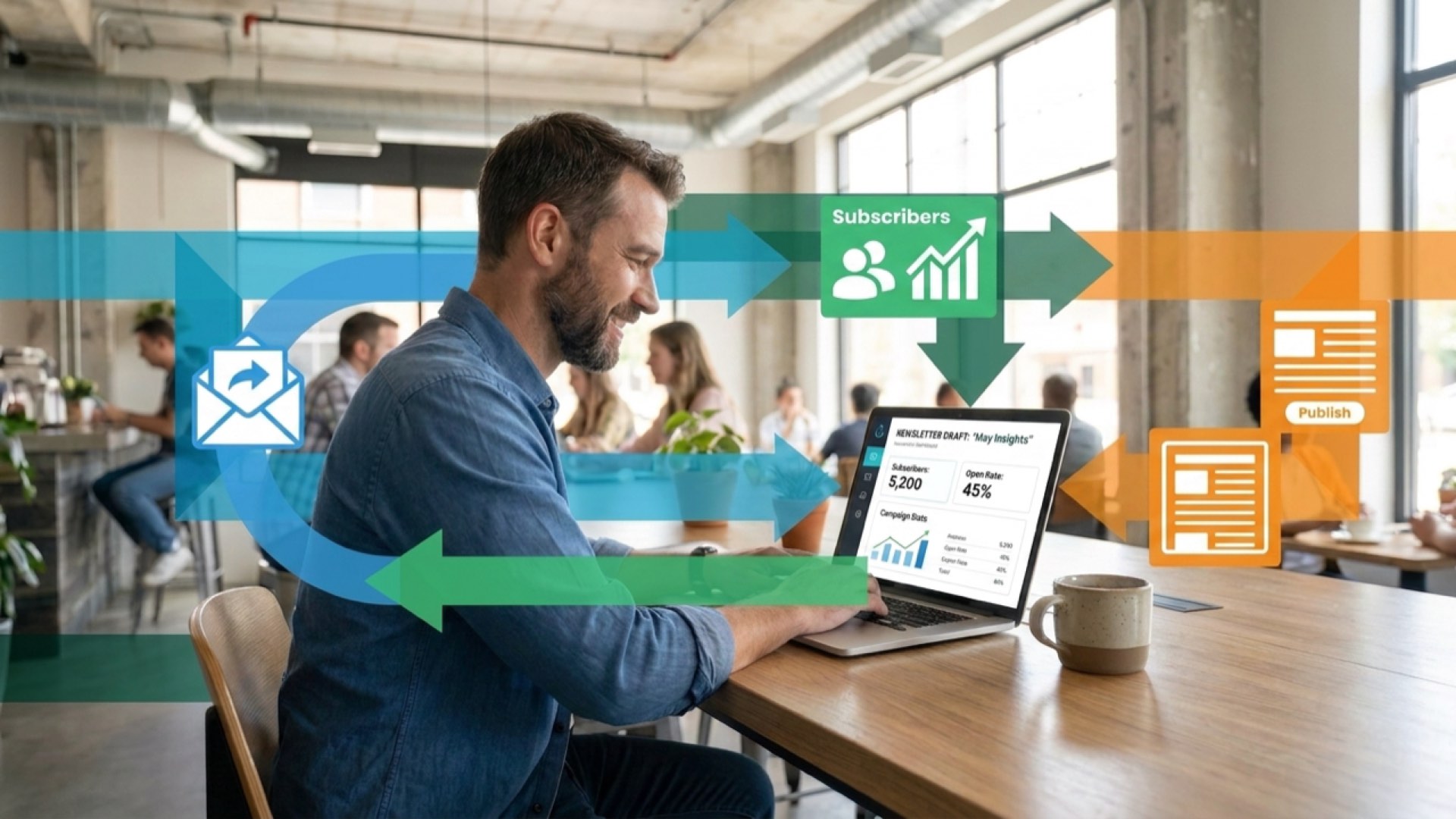
Most ecommerce brands waste hours designing email templates from scratch. The reality? A well-structured template library cuts email production time by 70% whilst maintaining brand consistency across every touchpoint.

Klaviyo offers 160 email templates ready to deploy. Yet most brands either ignore them or use them poorly.

This guide shows you how to leverage free Klaviyo email templates strategically. You'll learn which templates drive results, how to customise them without coding, and exactly how to export them into your Klaviyo flows and campaigns. The goal: make retention inevitable through professional, high-performing emails that reflect your brand and convert subscribers into customers.
What Are Klaviyo Email Templates?
Klaviyo email templates are pre-designed HTML email layouts built specifically for ecommerce email marketing. They're drag-and-drop structures that eliminate the need for coding knowledge whilst maintaining mobile-responsive design across all devices.
Each template includes placeholders for your logo, product images, copy, and calls-to-action. You modify these elements using Klaviyo's template editor, then export the finished design directly into your flows or campaigns.
The platform provides 160 email templates covering the entire customer lifecycle. From welcome sequences to abandoned cart recovery, from post-purchase follow-ups to win-back campaigns.
Templates fall into three performance categories: transactional emails (order confirmations, shipping updates), promotional campaigns (seasonal sales, product launches), and lifecycle flows (welcome series, browse abandonment, customer reactivation).
What matters most? Templates are starting points, not final products. The brands that win treat templates as frameworks, then customise every element to match their brand voice, visual identity, and conversion strategy. Generic templates produce generic results.

Best Free Klaviyo Email Template Resources
Official Klaviyo Template Library
Start with Klaviyo's built-in library. Access it through your account dashboard under "Email Templates". The collection includes mobile-responsive designs optimised for ecommerce performance metrics like click-through rates and conversion.

Filter templates by category: promotional, transactional, or automated flows. Each preview shows desktop and mobile layouts simultaneously, helping you assess responsive design quality before customisation.
The advantage? These templates integrate seamlessly with Klaviyo's platform features like dynamic product blocks, countdown timers, and personalisation tags.
Third-Party Template Marketplaces
Several design marketplaces offer free Klaviyo-compatible email templates. Look for HTML templates marked as "responsive" and "email client tested". These work across Gmail, Outlook, Apple Mail, and mobile email apps.
Download the HTML file, then import it into Klaviyo through the template editor. This process takes under five minutes once you've located a suitable design.
Quality varies significantly. Prioritise templates from established design studios with documented testing across multiple email clients. Poor-quality templates break on mobile devices or render incorrectly in Outlook.
Ecommerce Platform Integration Resources
If you're running Shopify or WooCommerce, platform-specific template collections offer tighter integration with your product catalogue. These templates include pre-configured product recommendation blocks that pull directly from your inventory.
Connect your ecommerce platform to Klaviyo first. Then access templates designed specifically for your platform's data structure. This eliminates formatting issues when displaying product images, prices, and descriptions.
Types of Klaviyo Email Templates
Different email types require different template structures. Understanding these categories helps you select templates that match your campaign objectives and customer lifecycle stage.
Transactional Email Templates
Transactional templates confirm customer actions: order confirmations, shipping notifications, delivery updates, password resets. These emails demand clarity over creativity.
Structure matters here. Place order details prominently, use clear headings for different sections, include tracking links above the fold. Single-column layouts work best because they're scannable on mobile devices.
Brand these templates subtly. Your logo and colours should appear, but don't overshadow critical information like order numbers or delivery dates.
Promotional Campaign Templates
Promotional templates drive sales through limited-time offers, seasonal campaigns, new product launches. These require stronger visual hierarchy and compelling calls-to-action.
Multi-column layouts work well for showcasing multiple products. But test them rigorously on mobile devices. Columns should stack vertically on smaller screens without breaking the design or hiding content.
Include clear discount codes, countdown timers for urgency, and multiple clickable product images. Each element should guide subscribers towards making a purchase decision.
Automated Flow Templates
Flow templates power your retention strategy: welcome sequences, abandoned cart recovery, browse abandonment, post-purchase follow-ups, win-back campaigns. These emails nurture relationships over time rather than pushing immediate sales.
Welcome flow templates establish brand voice and set expectations. First emails should feel conversational, not salesy. Include your brand story, customer testimonials, or product education content.
Abandoned cart templates need dynamic product blocks that display the exact items left behind. Add social proof, address common objections, offer subtle incentives without training customers to abandon carts deliberately.
For detailed strategies on implementing these flows effectively, see our guide to Klaviyo flows every ecommerce store thinks they need.
How to Customise Klaviyo Email Templates
Customisation transforms generic templates into branded assets that drive results. Klaviyo's drag-and-drop editor makes this process accessible without requiring HTML knowledge.
Brand Customisation Essentials
Start with visual identity. Upload your logo at the correct dimensions (typically 200-400 pixels wide for email). Replace template colours with your brand palette using hex codes for consistency.
Typography matters. Select fonts that match your website. Klaviyo supports web-safe fonts and custom font uploads. Maintain hierarchy: larger sizes for headlines, medium for body text, smaller for footer information.
White space creates breathing room. Don't cram every pixel with content. Generous padding around elements improves readability and draws attention to key messages.
Content Block Modifications
Drag-and-drop editing lets you rearrange, add, or remove content blocks. Click any element to access customisation options: text editing, image replacement, button styling, spacing adjustments.
Product blocks pull dynamically from your catalogue. Configure them to show specific collections, bestsellers, or personalised recommendations based on customer behaviour. These blocks update automatically as your inventory changes.
Social proof blocks display customer reviews, star ratings, or testimonials. Place these strategically near calls-to-action to reduce purchase hesitation.
Mobile Responsiveness Checks
Preview every template on mobile devices before deployment. Klaviyo's editor includes mobile preview modes, but test on actual phones to catch rendering issues.
Check button sizes. Touch targets should be at least 44x44 pixels for easy tapping. Text must remain readable without zooming. Images should scale proportionally without breaking layout.
Test across email clients. Gmail, Outlook, and Apple Mail render HTML differently. Send test emails to multiple addresses and check them on various devices and platforms.
Step-by-Step: Exporting Templates to Klaviyo
Getting external templates into Klaviyo requires understanding the platform's import process. This five-step workflow works for HTML templates from any source.
Preparing Your HTML Template
Clean the HTML code before importing. Remove unnecessary inline styles, fix broken image links, verify all URLs use absolute paths (not relative). Bloated code causes rendering problems.
Ensure the template uses responsive HTML techniques. Media queries should adjust layouts for different screen sizes. Tables (yes, tables for email) must include mobile-friendly attributes.
Test the HTML in an email testing tool first. Services like Litmus or Email on Acid show how your template renders across different email clients before you import it into Klaviyo.
Importing Process
Navigate to Klaviyo's template section. Select "Create Template" then "Import from HTML". Paste your cleaned HTML code into the editor window.
Klaviyo converts the HTML into editable blocks. This process sometimes breaks complex layouts. Review every section carefully after import. Fix any formatting issues using the drag-and-drop editor.
Replace placeholder images and text with your actual content. Add Klaviyo-specific elements like dynamic product blocks, personalisation tags, and conditional logic.
Integration with Flows and Campaigns
Save your customised template to your Klaviyo library. Access it when creating new campaigns or configuring flow emails by selecting "Choose Template" then browsing your saved designs.
Templates sync across flows and campaigns. Update the master template to change all instances simultaneously. This centralised approach maintains consistency as your brand evolves.
Understanding re-entry criteria in Klaviyo flows helps you optimise how templates perform within automated sequences.
Template Categories and Use Cases
Strategic template selection depends on campaign goals and customer lifecycle stage. Different situations demand different approaches to design and messaging.
Seasonal Campaign Templates
Seasonal templates capitalise on predictable shopping moments: Black Friday, Cyber Monday, Christmas, Valentine's Day, back-to-school periods. These require bold visuals and clear urgency signals.
Design elements should reflect the season without overwhelming product content. Subtle holiday colours, themed icons, or seasonal imagery work better than heavy graphics that distract from offers.
Countdown timers create urgency. Place them prominently near headlines or calls-to-action. They remind subscribers that offers expire, driving faster purchase decisions.
Product Launch Templates
Launch templates introduce new products with education-focused content. Include product benefits, use cases, technical specifications, and comparison tables with existing offerings.
High-quality product photography dominates these templates. Show products from multiple angles, in use, with scale references. Video embeds or GIFs demonstrate features that static images can't capture.
Early-bird incentives encourage immediate purchases. Offer exclusive discounts or bonuses to subscribers who buy within the first 24-48 hours.
Customer Lifecycle Templates
Lifecycle templates nurture long-term relationships rather than chasing immediate conversions. Welcome sequences, post-purchase follow-ups, milestone celebrations, and loyalty programme communications fit here.
These templates should feel more personal than promotional. Use conversational copy, include customer data like purchase history or loyalty points, suggest relevant next purchases based on behaviour.
Post-purchase templates drive repeat sales. Include care instructions, complementary product recommendations, referral incentives, or early access to new collections.
For comprehensive strategies on improving customer retention metrics, explore our guide on calculating and improving customer lifetime value.
Features to Look for in Klaviyo Templates
Not all templates perform equally. Evaluate potential designs against these criteria before committing time to customisation.

FeatureWhy It MattersWhat to CheckMobile ResponsivenessOver 45% of emails open on mobile devicesTest preview on actual phones, check button sizes, verify text readabilityDrag-and-Drop EditingSpeeds up customisation without codingConfirm all elements are editable, test block rearrangementDynamic Content BlocksEnables personalisation at scaleVerify product recommendation blocks, conditional content optionsEmail Client CompatibilityEnsures consistent rendering everywhereTest in Gmail, Outlook, Apple Mail, mobile appsLoading SpeedAffects deliverability and engagementCheck image file sizes, overall HTML weight
Design Quality Indicators
Professional templates display clear visual hierarchy. Headlines dominate, body text flows naturally, calls-to-action stand out through colour contrast and button styling.
Whitespace usage separates sections without requiring heavy borders or lines. Content breathes. Nothing feels cramped or cluttered.
Colour palettes remain consistent throughout. Three to four colours maximum, used systematically across headers, buttons, accents, and backgrounds.
Performance-Focused Elements
High-performing templates include clear, singular calls-to-action. Each email should drive one primary action. Multiple competing CTAs confuse subscribers and reduce click-through rates.
Above-the-fold content determines success. Place your most compelling message, strongest offer, or most important information where subscribers see it immediately upon opening.
Alt text for images ensures your message delivers even when images don't load. Write descriptive alt text that conveys meaning independently of the image itself.
Rather than focusing purely on template features, shift your thinking towards optimising results over tasks in Klaviyo.
Frequently Asked Questions About Klaviyo Email Templates
Can I use Klaviyo templates on the free plan?
Yes. Klaviyo's free plan supports up to 250 contacts and allows 500 emails per month, with full access to the template library. You can design, customise, and deploy any template without upgrading to paid tiers.

The free plan includes the drag-and-drop email editor, mobile-responsive templates, and basic automation features. Limitations apply to contact volume and monthly send limits, not template access or functionality.
Do Klaviyo templates work with Shopify and WooCommerce?
Yes, templates integrate seamlessly with both platforms. Install the Klaviyo integration from your ecommerce platform's app store. Once connected, templates can display dynamic product information, inventory updates, and personalised recommendations pulled directly from your catalogue.
Product blocks automatically sync with your inventory. When you update product images, prices, or descriptions on Shopify or WooCommerce, those changes reflect in your email templates without manual updates.
How do I add my logo to Klaviyo email templates?
Click the image placeholder in the template header. Select "Upload Image" then choose your logo file. PNG files with transparent backgrounds work best for flexible placement over different background colours.
Resize your logo appropriately. Email logos typically measure 200-400 pixels wide. Larger files increase email load time and may trigger image blocking in some email clients.
Link your logo to your website homepage. This creates an easy navigation path for subscribers who want to browse your full catalogue.
Can I create custom templates without coding?
Absolutely. Klaviyo's drag-and-drop editor builds templates from scratch using pre-made content blocks: text, images, buttons, product grids, dividers, spacers, social media icons.
Drag blocks into your layout. Customise each element through the settings panel: change colours, adjust fonts, modify spacing, add links. Save your creation as a reusable template.
For advanced customisation, the editor includes HTML access. But most brands achieve professional results without touching code.
What's the difference between templates and flows in Klaviyo?
Templates are email designs. Flows are automated sequences that send those designed emails based on triggers and conditions.
Create a template once, then use it across multiple flows and campaigns. For example, design one abandoned cart template, then apply it to your abandoned cart flow, which automatically sends that designed email when customers leave items in their basket.
Templates handle visual design. Flows handle timing, triggers, and automation logic.
How often should I update my email templates?
Review templates quarterly. Update immediately when you rebrand, launch new product categories, or notice declining email performance metrics.
Seasonal templates need annual refreshes to stay current. Last year's Black Friday design feels stale when competitors deploy fresh, modern layouts.
Performance data guides updates. If click-through rates drop or mobile engagement declines, test new template designs to identify what resonates with your current subscriber base.
Professional email templates solve one problem: getting your message in front of customers without spending hours on design. But templates alone don't drive retention. Strategic deployment across the customer lifecycle, consistent brand voice, and obsessive optimisation transform templates from time-savers into revenue generators.
Start with Klaviyo's built-in library. Customise three templates: one for welcome flows, one for abandoned carts, one for promotional campaigns. Test them against your current designs. Measure open rates, click-through rates, and revenue per recipient.
Make retention inevitable through templates that reflect your brand and convert subscribers into customers.
.jpg)
.jpg)