
Order Confirmation Emails: Free Templates & Revenue Tactics
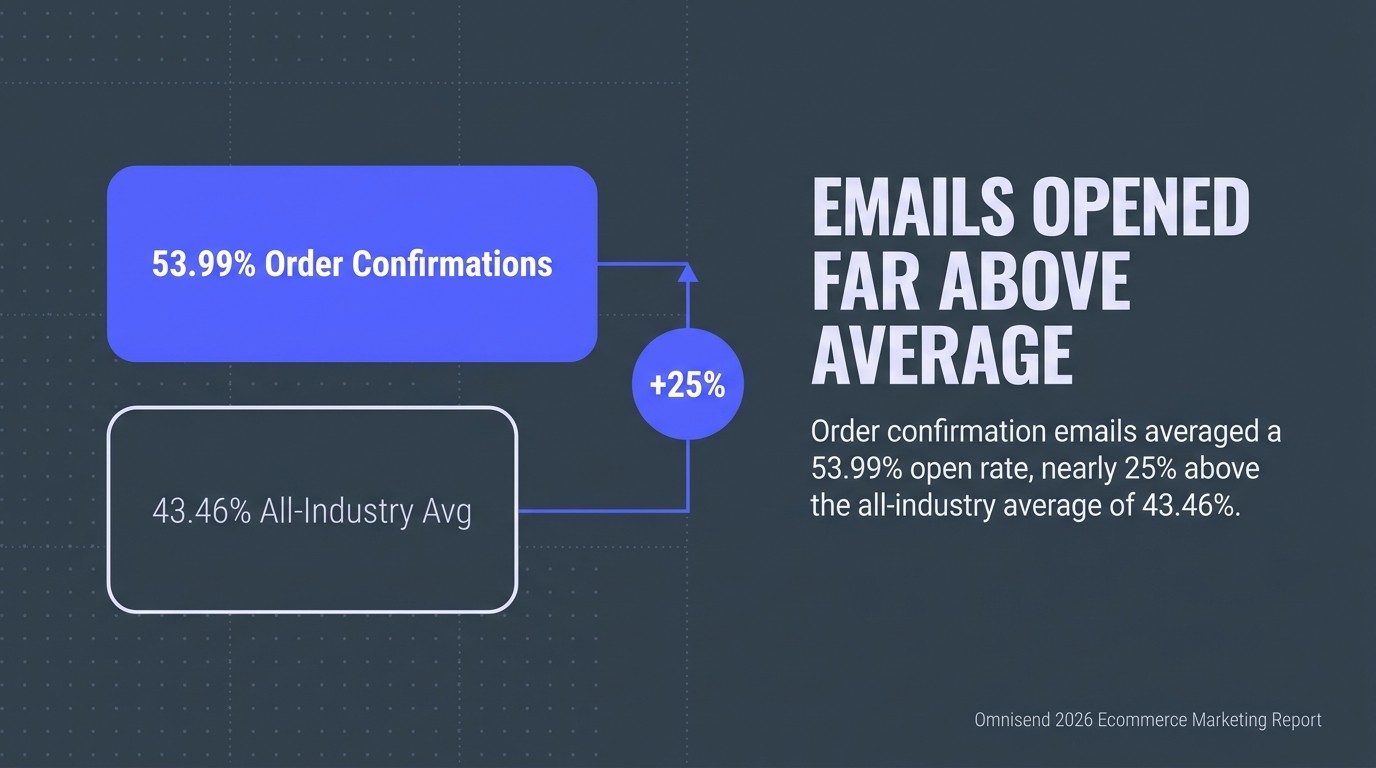
An order confirmation email is an automated transactional email sent immediately after a customer completes a purchase, containing the order number, order details, shipping information, estimated delivery date, and payment summary. According to Omnisend's 2026 ecommerce marketing report, order confirmation emails averaged a 53.99% open rate, nearly 25% above the all-industry average of 43.46%. That gap matters. Your order confirmation email is the single most-read message your brand will ever send a customer, and most ecommerce brands waste it on a bare-bones digital receipt.
We audit Klaviyo accounts across hundreds of ecommerce brands, and the pattern is relentlessly consistent: the post-purchase flow is treated as admin, not strategy. That is money left in the till. A well-structured order confirmation email does three things at once: it kills post-purchase anxiety, it confirms the order details your customer is already searching for, and it opens the door to the next sale. This guide gives you the templates, the best practices, and the revenue tactics to make all three happen.
What Is an Order Confirmation Email?
An order confirmation email is a triggered transactional email that fires the moment a customer places an order, serving as the official digital record of that purchase. It sits at the start of your post-purchase flow and is often the first communication a customer receives after handing over their money.
Most people conflate the order confirmation email with a shipping notification. They are different. The order confirmation email fires on order placement and confirms what was bought. The shipping notification fires when the parcel leaves the warehouse and provides a tracking number. Both matter across the entire customer lifecycle, but they solve different anxieties at different moments.
At its core, a purchase confirmation is a transactional email, not a marketing email. That distinction has a practical consequence: transactional emails sit outside standard unsubscribe rules in most jurisdictions, which means your deliverability and open rates start from a stronger position. But that does not make them less strategic. The order details, shipping information, and estimated delivery date inside your order confirmation email are the content your customer is actively looking for. Give them that first, cleanly, then build from there.
For Klaviyo users, the order confirmation email lives inside your post-purchase flow, triggered by the Placed Order metric. If you want a complete picture of how this fits into your wider retention architecture, our guide to building a post-purchase email flow covers the full sequence.
Why Order Confirmation Emails Drive More Revenue Than You Think
Order confirmation emails generate outsized commercial impact because they arrive at the precise moment customer attention is highest, combining near-certain open rates with an audience that has just demonstrated purchase intent.
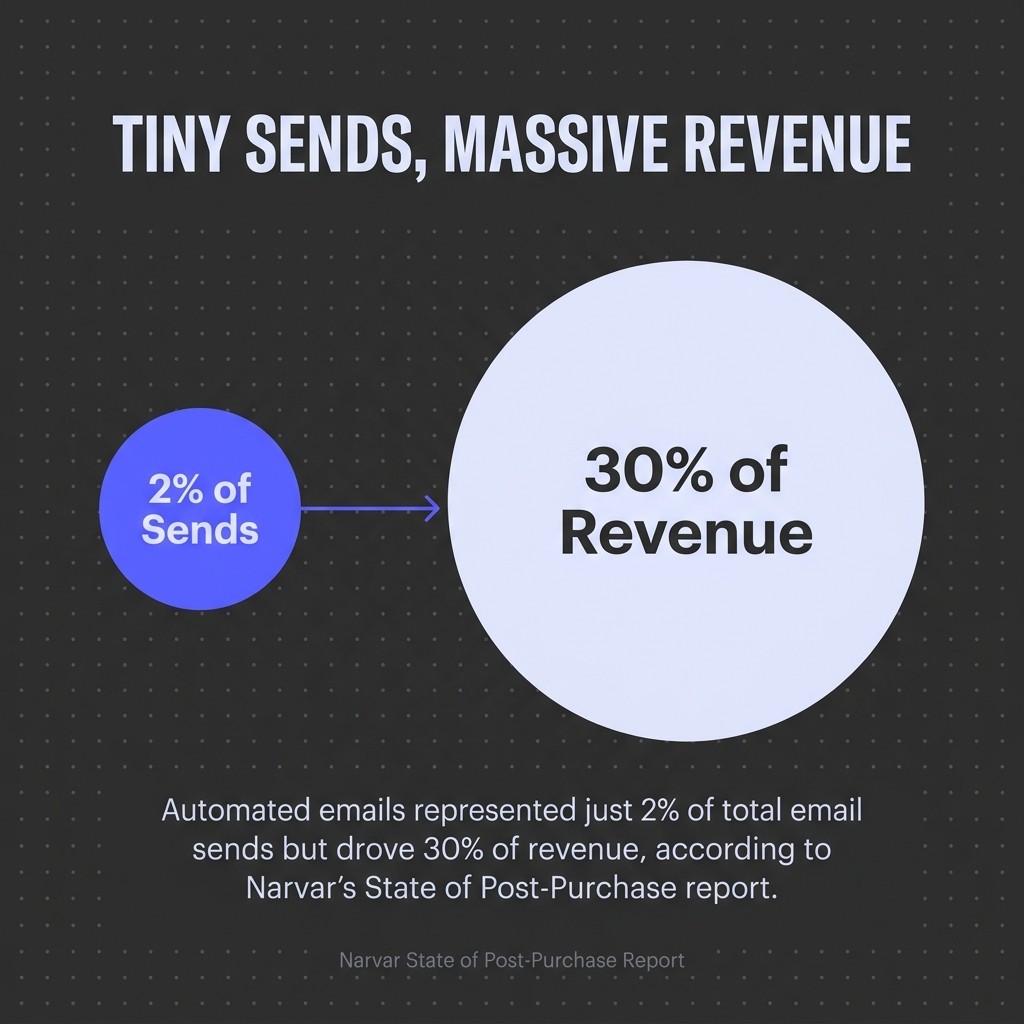
The numbers back this up hard. According to Narvar's State of Post-Purchase report, automated emails represented just 2% of total email sends but drove 30% of revenue. That ratio should stop you in your tracks. Your transactional email programme, including your order confirmation email, is probably the most efficient revenue engine you have, and it runs largely on autopilot once it is built correctly.
There is also a trust angle that gets overlooked. Narvar's 2025 post-purchase research found that 66% of U.S. consumers feel a surge of anxiety after clicking 'buy'. That anxiety does not go away until the customer sees a clear, credible order confirmation email with their order number, order summary, and estimated delivery date. Fail to send it promptly, or send something thin and confusing, and you are actively creating doubt about your brand in the moments immediately after a sale.

And the longer-term value is significant too. Consumers who purchase through email spend 138% more than those who do not, according to data cited by SHNO's transactional email statistics analysis. Your order confirmation email is not just a receipt. It is the opening move in a retention strategy that compounds over time. For a deeper look at how this feeds into long-term value, our breakdown of how to calculate and improve customer lifetime value is worth reading alongside this guide.
What to Include in an Order Confirmation Email
A complete order confirmation email contains nine core elements: order number, order summary with product details and images, billing and shipping address, payment method and total charged, estimated delivery date, shipping information and carrier details, a tracking number link once available, customer service contact details, and a clear CTA.
Most brands get the first four right and stumble on the rest. The estimated delivery date is the one customers care most about after confirming their order details are correct. If your order confirmation email says "3-5 business days" without a date, you have answered a question nobody asked and dodged the one everyone has.
The Non-Negotiables
Your order number must appear at the top of the email, not buried in paragraph two. Customers forward order confirmation emails to partners, screenshot them for returns, and search their inbox for them weeks later. The order number is the primary reference point for every downstream interaction with your support team. Make it impossible to miss.
The order summary should include product thumbnail images alongside item names, quantities, sizes or variants, and line-item pricing. Text-only order details increase support contacts. A customer who can glance at a thumbnail and confirm they ordered the right colour, size, or product variant is a customer who does not email your support team the next morning.
The Elements Most Brands Skip
Customer service contact information is frequently absent or buried in footers. Put a support email or chat link near the top of your order confirmation email. This sounds counterintuitive, but customers who can find help easily are less anxious, not more likely to contact you. It signals confidence in your process.
A single, clear CTA is the other common omission. Not five links to different product categories. One CTA, whether that is tracking the order, joining a loyalty programme, or a targeted product recommendation based on what was just purchased. Decide what the one next action is before you build the template.
Order Confirmation Email Best Practices
The best practices that separate high-performing order confirmation emails from generic receipts come down to timing, personalisation, mobile design, and strategic use of the engagement window the open rate data tells you you have.
1. Send Within 60 Seconds of Order Placement
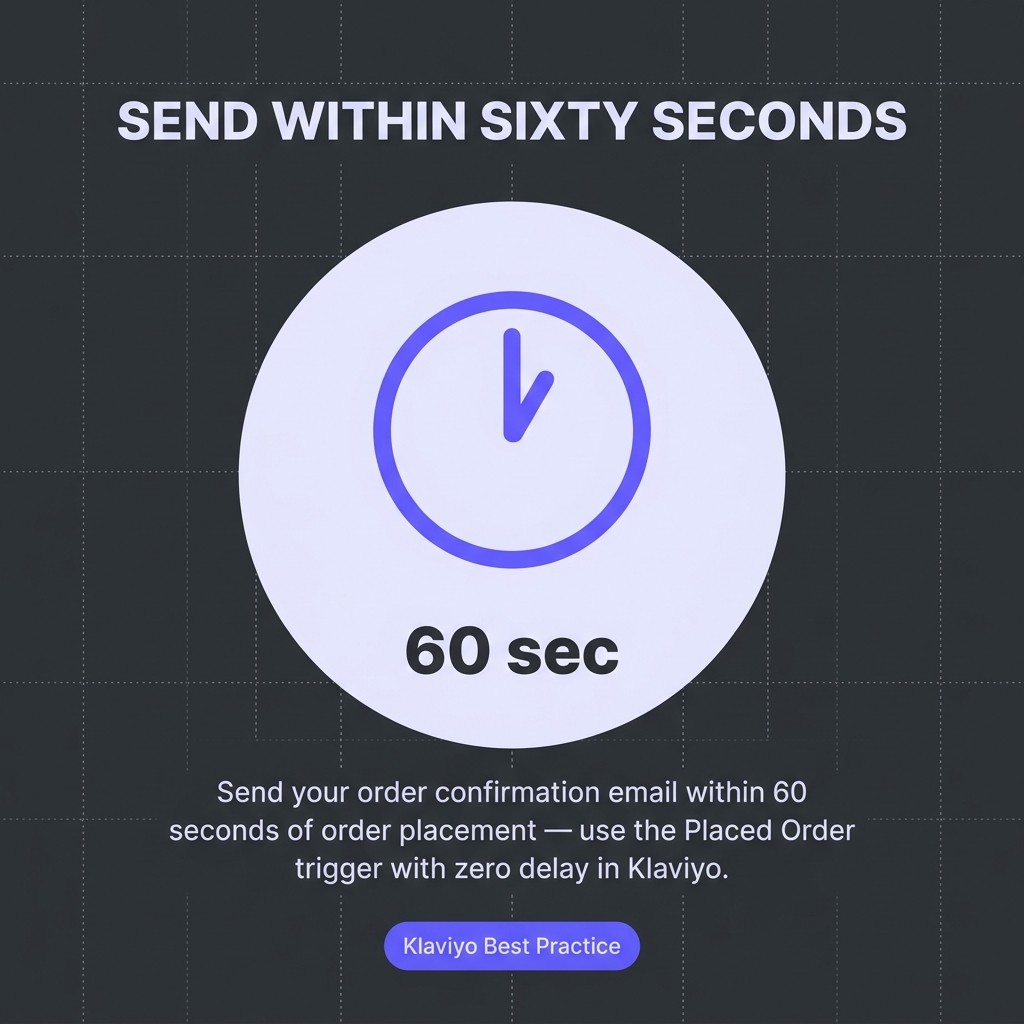
Your order confirmation email must send immediately. Not within an hour. Within a minute. The anxiety window identified in Narvar's research opens the moment a customer clicks 'buy'. If your automation trigger fires on a delay or batches sends, you are failing the customer at their most attentive moment. In Klaviyo, the Placed Order trigger with zero delay handles this. Check yours.
2. Personalise Beyond the First Name
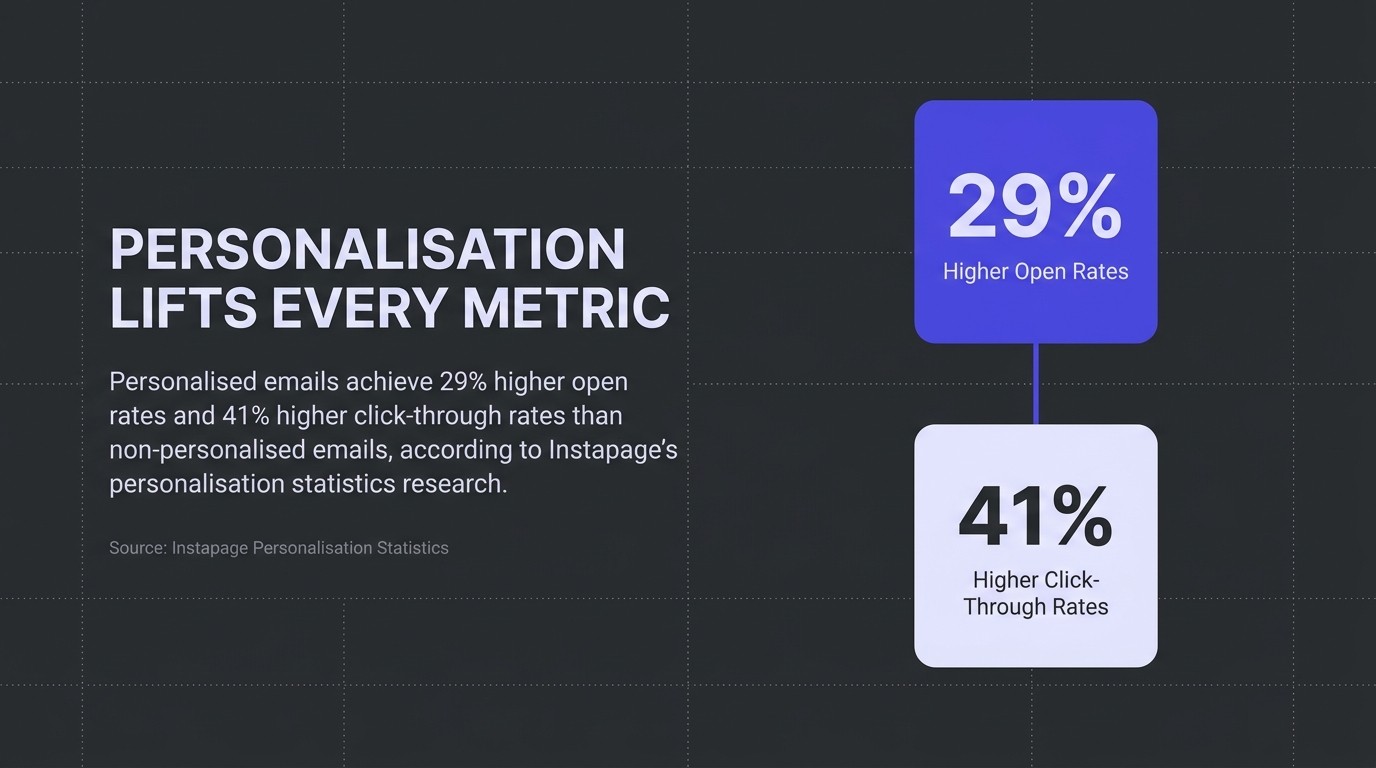
Personalised emails achieve 29% higher open rates and 41% higher click-through rates than non-personalised emails, according to Instapage's personalisation statistics research. But first-name personalisation is table stakes. Use order data to personalise the product recommendations in your confirmation email. If someone bought a skincare serum, the cross-sell should be the matching moisturiser, not a random bestseller.
3. Design for Mobile First
According to Stripo's mobile email engagement research, 55% of all email opens happen on mobile devices. Your order confirmation email template must render correctly on a 375px screen. That means single-column layouts, minimum 16px body text, CTA buttons at least 44px tall, and product thumbnails that scale without breaking. Test every template on iOS Mail and Gmail Android before deploying.
4. Use Automation, Not Manual Sends
This should be obvious, but it is worth stating plainly. According to Omnisend's transactional email analysis, automated emails deliver 24% higher open rates, 6x stronger click engagement, and 19x higher conversion rates than scheduled campaign emails. Your order confirmation email is a triggered transactional email. If it is not on full automation, stop everything and fix that first.
5. Add a Tracked Upsell or Cross-Sell
The order confirmation email has a 53.99% open rate. That is your largest captive audience in any given month. Include one product recommendation block beneath the order summary, tied to the purchase category. Track it separately so you know what it generates. Most brands running this approach see measurable incremental revenue within the first 30 days.
6. Confirm Expectations, Then Exceed Them
Give the estimated delivery date as a specific date, not a range. If your carrier data supports it, give the exact date. Then, if the order arrives early, the customer is delighted. If it arrives on time, you have kept your word. Both outcomes build trust. Vague ranges do neither.
7. Match Your Brand Identity Throughout
Your order confirmation email template should look like your website. Same logo placement, same colour palette, same font choices. Transactional emails that look like they come from a different company erode the brand confidence you worked to build during the purchase. This is not a minor detail; it is a trust signal at a critical moment in the customer experience.
8. Include Social Proof or a Review Request
A post-purchase review request does not belong in your order confirmation email. Wait until delivery is confirmed. But a brief social proof block, a rating badge or a short customer quote, reinforces the buying decision at the moment post-purchase anxiety peaks. It answers the unspoken question: 'did I buy from the right brand?'
Order Confirmation Email Examples from Real Brands
The most effective order confirmation emails share four structural features: a prominent order number above the fold, a visual order summary with product images, a specific estimated delivery date, and one clear CTA beyond the receipt itself.
Amazon's order confirmation email template is the benchmark most customers unconsciously compare against. The order number is the first line of text. The order summary uses product thumbnails. The estimated delivery date is specific. And there is a single tracked CTA to view or manage the order. Everything else is secondary. The lesson is not that you should copy Amazon. It is that clarity and speed of information transfer are the primary job.
ASOS handles the mobile experience well. Their order confirmation email is single-column, the CTA button is full-width on mobile, and the shipping information block stacks cleanly without horizontal scrolling. They also include a loyalty points update inside the transactional email, which is a smart use of the engagement window without feeling promotional.
Gymshark uses brand-consistent design throughout their purchase confirmation emails. The photography style matches the website. The typography is the same. The tone is the same energetic voice their audience expects. A customer moving from checkout to inbox sees a continuous brand experience, not a jarring switch to generic receipt formatting.
What separates good order confirmation email examples from average ones is not the template sophistication. It is the deliberate decision about what the email is trying to do beyond confirming the order details. Pick one secondary goal, whether that is loyalty, a cross-sell, a review, or a referral, and build the template around achieving it.
Order Confirmation Email Templates You Can Copy
The templates below are structured for Klaviyo and follow the best practices covered above. Adapt the copy to your brand voice. Keep the structure intact.
Template 1: Standard Ecommerce Order Confirmation
Subject line: Your order is confirmed, [First Name]. Here's what happens next.
Preview text: Order #[Order Number] is being prepared. Estimated delivery: [Date].
Hi [First Name],

Your order is confirmed. We're getting it ready now.

ORDER #[Order Number]
Placed on [Order Date]

[Product Image] [Product Name] x[Qty] — £[Price]

Order Total: £[Total]
Payment: [Payment Method]

Shipping to:
[Shipping Address]

Estimated delivery: [Specific Date]

[TRACK YOUR ORDER — Button CTA]

Questions? Reply to this email or contact us at [Support Email].

[Brand Name] Team
Template 2: Order Confirmation with Cross-Sell Block
Subject line: Order confirmed. And something you might have missed, [First Name].
Preview text: Order #[Order Number] confirmed. Estimated arrival: [Date].
Hi [First Name],

Order confirmed. Here's your summary.

ORDER #[Order Number]

[Product Image] [Product Name] — £[Price]
Total charged: £[Total] to [Payment Method]

Estimated delivery: [Specific Date]
Shipping to: [Address]

[VIEW ORDER — Button CTA]

---
Pairs well with your order:

[Recommended Product Image]
[Product Name] — £[Price]
[SHOP NOW — Secondary CTA]

---
Need help? [Support Link]
Template 3: Order Confirmation for Subscription or Repeat Purchase Brands
Subject line: You're all set, [First Name]. Order #[Order Number] confirmed.
Preview text: Your next delivery is on its way. Here's what you ordered.
Hi [First Name],

Your order is in. Here's everything you need.

ORDER #[Order Number] — [Order Date]

[Order Summary Block with Images]

Next delivery estimate: [Specific Date]

You've placed [X] orders with us. [Loyalty Points Balance or Milestone, if applicable.]

[MANAGE YOUR ORDER — Button CTA]

We're here if you need us: [Support Email or Chat Link]
For design guidance on building these templates inside Klaviyo, our Klaviyo email template design best practices post covers responsive layout, brand consistency, and CTA structure in detail.
Order Confirmation Email Subject Lines That Work
The subject line for an order confirmation email should prioritise clarity over cleverness, because the customer is actively looking for confirmation, not entertainment.
The open rate benchmark for order confirmation emails sits at 53.99%. That rate is not driven by clever subject lines. It is driven by purchase intent. Customers open because they need to. Your subject line's job is to not get in the way of that, and to set the right expectation for what is inside.
Subject Lines Sorted by Goal
Clarity-first (highest open rate reliability):
- Your order is confirmed, [First Name]. Here's your summary.
- Order #[Number] received. Estimated delivery: [Date].
- We've got your order. Here's what happens next.
- Confirmed: [Product Name] is on its way.
Brand-voice led (works for lifestyle and D2C brands):
- You're in. Order confirmed + what to expect.
- Order confirmed. Good choice, [First Name].
- It's official, [First Name]. Your order is on its way.
Curiosity with reassurance (test against your baseline):
- Your order is confirmed, and here's something extra.
- Order #[Number] confirmed. Plus, something for your next order.
Avoid subject lines that obscure the order confirmation function. A subject line like "Great news from [Brand]!" makes the customer work to confirm whether their purchase went through. That friction increases anxiety at exactly the wrong moment.
Test subject lines on a 20/80 split before committing. Clarity variants tend to win on open rate. Brand-voice variants sometimes win on downstream click engagement. Know which metric matters more for your goal before you pick a winner.
Common Mistakes to Avoid in Order Confirmation Emails
The most damaging errors in order confirmation email strategy are not design failures. They are strategic omissions that reduce a high-value transactional email to a passive receipt.
Sending late or in batches. Any delay between order placement and the order confirmation email landing in the inbox is a gap where anxiety fills in. Automate the trigger correctly and test it. A single hour's delay on your confirmation email can generate a wave of "did my order go through?" support contacts.
Missing the estimated delivery date. The estimated delivery date is the most searched-for piece of information after the order number. Customers open your order confirmation email to find it. If it is not there, or if it is a vague range, you have failed the primary use case of the email.
No mobile optimisation. With 55% of email opens on mobile, an order confirmation email template that breaks on small screens creates a poor customer experience at the highest-attention moment in the entire post-purchase lifecycle. Single-column layouts and large tap targets are not optional.
Overloading with promotions. One tracked cross-sell or upsell recommendation is a best practice. Five promotional banners, three discount codes, and a referral programme link in one order confirmation email is a trust erosion event. Customers came for confirmation. Give them that first.
Generic, off-brand design. An order confirmation email that looks nothing like your website suggests to customers that they have been handed off to a third-party system. It undermines brand confidence. Your transactional email template should be as on-brand as your homepage.
No customer service contact. Omitting support contact details from your order confirmation email does not reduce support volume. It increases it, because customers who cannot find help through a clear channel try every other route available to them.
Fixing these six mistakes alone will lift the customer experience impact of your order confirmation email measurably. And if you want the full strategic picture of how this fits into your retention programme, our Klaviyo retention playbook for ecommerce maps out the complete lifecycle from purchase confirmation through to loyalty and win-back.
Frequently Asked Questions
When should an order confirmation email be sent?
Immediately after order placement, within 60 seconds. The Placed Order trigger in Klaviyo with zero send delay handles this automatically. Any lag increases post-purchase anxiety and support contact volume.
What is the difference between an order confirmation email and a shipping notification?
An order confirmation email fires on order placement and confirms order details, order number, and estimated delivery date. A shipping notification fires when the order dispatches and provides the tracking number and carrier link. Both are part of your post-purchase transactional email sequence, but they serve different moments.
Should order confirmation emails include upsells?
Yes, but one recommendation only, placed below the order summary block. The upsell should be category-relevant to what was purchased. Multiple promotional elements in a single order confirmation email reduce trust. One well-chosen cross-sell in a high-open-rate transactional email is a material revenue driver.
Do order confirmation emails count towards unsubscribe limits?
Transactional emails, including order confirmation emails, are generally exempt from marketing unsubscribe requirements because they fulfil a contractual function. Check the specific rules for your jurisdiction and email service provider. In Klaviyo, transactional messages are managed separately from marketing flows.
What is a good open rate for an order confirmation email?
The 2025 benchmark across ecommerce sits at 53.99%, according to Omnisend's 2026 ecommerce marketing report. If your order confirmation email is below 45%, check your send timing, subject line clarity, and sender name. Deliverability issues are the most common cause of underperformance on triggered transactional emails.
How do I set up an order confirmation email in Klaviyo?
Use the Placed Order metric as your flow trigger. Set the send delay to zero. Build your email template using dynamic order detail blocks that pull from the order event properties. Test with a live order before enabling. For the full implementation guide, our complete guide to Klaviyo flows for ecommerce covers the technical setup in detail.
Your order confirmation email is not admin. It is the highest-open-rate touchpoint in your entire ecommerce email programme, and it arrives at the moment your customer is most attentive and most anxious. The brands that treat it as strategy, not paperwork, are the ones that make retention inevitable. Start with the templates above, fix the six mistakes, and get the automation trigger firing within 60 seconds of order placement. That is your first week's work. Everything else builds from there.
Ready to build a post-purchase flow that compounds over time? See how we design conversion-focused email sequences for ecommerce brands who want results, not just receipts.
.jpg)